You open Google Search Console, see thousands of impressions but only a handful of clicks, and wonder if something’s broken. Your site appears in search results constantly, yet traffic stays flat. Understanding the difference between these three core metrics can transform how you read your data and fix what’s actually holding your site back.
Impressions show how often your page appears in search results. Clicks measure how many users actually visit your site. CTR divides clicks by impressions to reveal how compelling your listing is. These three metrics in Google Search Console work together to diagnose visibility problems, improve titles and descriptions, and prioritize pages that need attention. Tracking them correctly helps you turn search appearances into real traffic.
What impressions actually count in Search Console
An impression happens when your page appears in a user’s search results, even if they never scroll down to see it. Google counts it the moment your link loads on the page. The user doesn’t need to look at it or interact with it.
This matters because you might rank on page three for a keyword and still rack up impressions. If someone searches, gets their results, and leaves without scrolling, your listing still earned an impression.
Impressions tell you about visibility. High impression counts mean Google considers your page relevant for those queries. Low impressions signal that you’re not showing up enough, which points to indexing issues, poor rankings, or missing keyword coverage.
Some pages get thousands of impressions but zero clicks. That’s not always bad. If you rank in position 47 for a broad term, impressions prove you’re in the index. The problem isn’t your title or description. The problem is your ranking.
Impressions also vary by search type. A featured snippet, an image result, and a standard blue link all generate impressions, but they behave differently. Understanding which type you’re getting helps you focus your optimization efforts.
How clicks get recorded and why they sometimes vanish
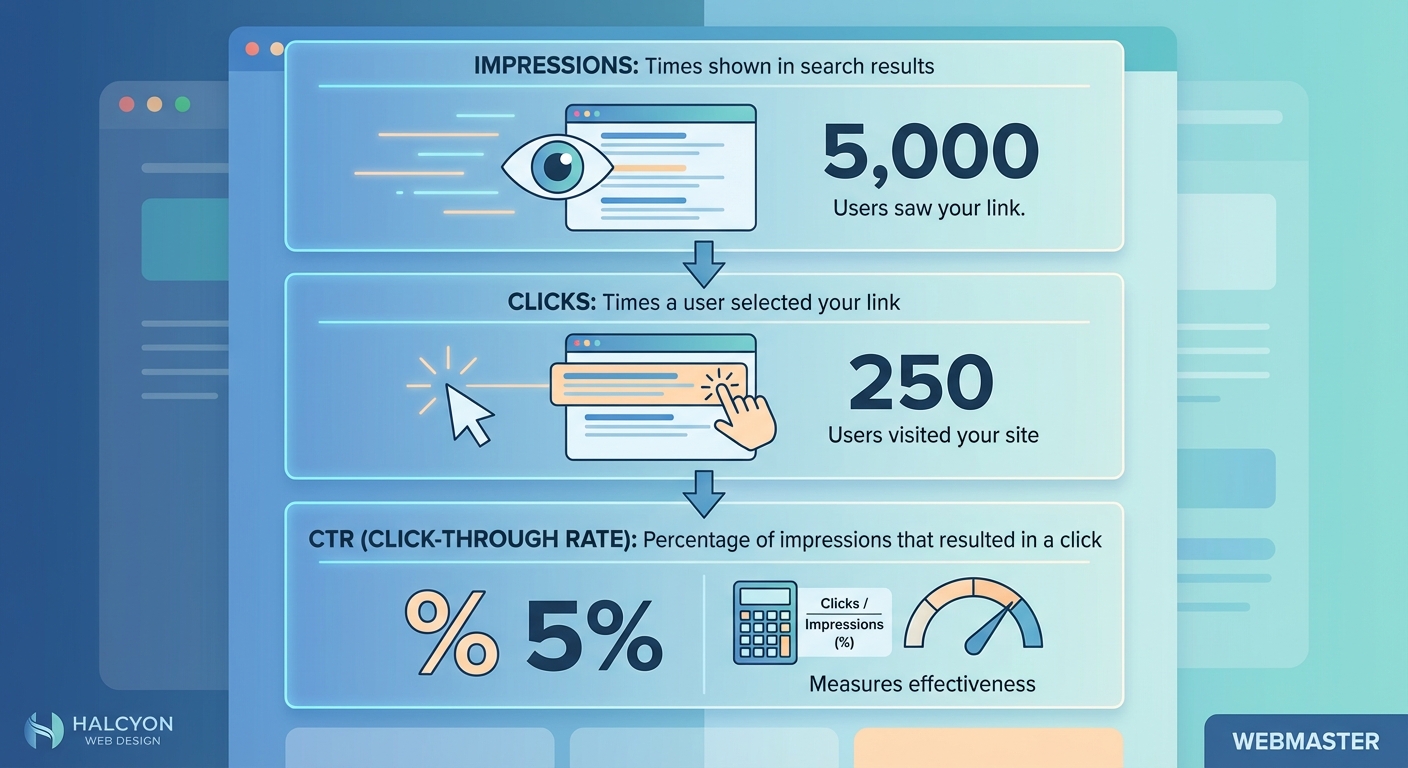
A click registers when someone taps or clicks your link in the search results and lands on your site. It sounds simple, but nuances exist.
If a user clicks your link, hits the back button immediately, then clicks again, Google may count that as one click or two depending on timing. If they open your link in a new tab, it still counts. If they copy your URL and paste it into the address bar, it doesn’t count because that’s not a click from the search results.
Clicks measure engagement. They show that your title, description, and URL convinced someone to visit. Low clicks relative to impressions mean your listing isn’t appealing, your ranking is too low, or the search intent doesn’t match your content.
Sometimes clicks drop suddenly. Check if your page lost a featured snippet or rich result. Those elements drive higher click rates. Losing them tanks your clicks even if impressions stay steady.
Clicks also fluctuate with seasonality. A tax guide gets clicks in March and April, then drops to near zero in summer. Compare time periods carefully to avoid misreading normal patterns as problems.
Breaking down CTR and what the numbers really mean
CTR stands for click-through rate. It’s calculated by dividing clicks by impressions, then multiplying by 100 to get a percentage. If your page earned 50 clicks from 1,000 impressions, your CTR is 5%.
CTR reveals how persuasive your search listing is. A high CTR means your title and description match what users want. A low CTR suggests a disconnect between your listing and user intent, or that you rank too low to attract attention.
Average CTR varies wildly by position. The top result often gets a 30% CTR or higher. Position five might see 5%. Position 15 could drop below 1%. Comparing your CTR to your average position gives you context.
Branded searches usually have high CTR because users already know your site. Non-branded searches have lower CTR because users compare multiple options. Segment your data by query type to see where you’re underperforming.
CTR also shifts by device. Mobile users scroll less and click featured snippets more. Desktop users scan more results. Filter your Search Console data by device to spot patterns.
Focus on improving CTR for pages that already rank in positions one through ten. Those pages have visibility. Better titles and descriptions can double your traffic without changing your ranking.
Reading the performance report without getting lost
Google Search Console’s performance report shows impressions, clicks, CTR, and position in one dashboard. The default view displays total clicks over the last three months, but you can customize every dimension.
Start by filtering by date range. Compare this month to last month, or this year to last year. Look for sudden drops or spikes. Gradual changes are normal. Abrupt shifts need investigation.
Next, filter by query. This shows which keywords trigger your impressions and clicks. Sort by impressions to find high-visibility terms with low CTR. Those are your best opportunities for writing meta descriptions that actually get clicks.
Filter by page to see which URLs perform best. Pages with high impressions but low clicks need better titles or descriptions. Pages with low impressions need better rankings or more keyword coverage.
Filter by country if you serve multiple regions. A page might perform well in the US but poorly in Canada. Regional differences often point to language or cultural mismatches.
Filter by device to compare mobile and desktop performance. If mobile CTR lags, your titles might be too long or your descriptions might not display fully on small screens.
Common patterns that reveal real problems
Certain patterns in impressions, clicks, and CTR point to specific issues. Recognizing them saves hours of guesswork.
High impressions, low clicks, low CTR: Your page ranks well but your listing isn’t compelling. Rewrite your title and description. Make sure they match the search intent for your top queries.
Low impressions, low clicks: Your page isn’t ranking high enough or isn’t indexed for the right keywords. Check if the page is indexed. Review your content to ensure it targets the queries you want.
High impressions, high clicks, low CTR: This seems contradictory, but it happens when you rank for many queries with varying intent. Some queries drive clicks, others don’t. Filter by query to separate the good from the bad.
Sudden drop in impressions: Google may have deindexed your page, or a competitor overtook you. Check the coverage report in Search Console. Look for errors or warnings. If the page is still indexed, review recent algorithm updates.
Sudden drop in clicks but stable impressions: You likely lost a rich result, featured snippet, or top ranking. Check your position data. If you dropped from position one to position five, your clicks will plummet even though impressions stay similar.
High CTR but low impressions: Your listing is great, but not enough people see it. Focus on improving your rankings. Add more content, build backlinks, or target related keywords.
Step-by-step process to audit your metrics
Follow this checklist to diagnose performance issues using impressions, clicks, and CTR in Search Console.
- Open the performance report and set your date range to the last 28 days compared to the previous 28 days.
- Look at total clicks and impressions. Note any significant changes.
- Filter by query and sort by impressions descending. Identify your top 10 queries.
- For each top query, check the CTR and average position. Flag any query with a CTR below 3% and a position above 10.
- Filter by page and sort by impressions descending. Identify your top 10 pages.
- For each top page, check the CTR. Flag any page with a CTR below 2%.
- Review flagged queries and pages. Open each page in an incognito window and search for the flagged query. See how your listing appears.
- Rewrite titles and descriptions for pages with low CTR. Make them more specific and action-oriented.
- For pages with low impressions, review the content. Add sections targeting related keywords. Update outdated information.
- Wait two weeks, then repeat the audit. Compare results to measure improvement.
Techniques to improve each metric independently
Different problems require different fixes. This table breaks down strategies by metric.
| Metric | Problem | Solution |
|---|---|---|
| Impressions | Too low | Add more keyword-rich content, fix indexing errors, target long-tail queries |
| Impressions | Dropping | Check for deindexing, review algorithm updates, audit for technical issues |
| Clicks | Too low | Rewrite titles and descriptions, improve rankings, add schema markup |
| Clicks | Dropping | Check for lost rich results, review competitor changes, update stale content |
| CTR | Too low | Match title to search intent, add numbers or power words, shorten title length |
| CTR | Inconsistent | Segment by device and query type, optimize for mobile separately |
Use this as a reference when you spot a problem. Don’t try to fix everything at once. Focus on the metric that’s furthest from your goal.
Mistakes that skew your data and waste your time
Misreading Search Console data leads to bad decisions. Avoid these common errors.
- Comparing different date ranges without accounting for seasonality: Traffic naturally fluctuates by month, week, and even day. A drop in December might just mean fewer people search for your topic during holidays.
- Ignoring position when analyzing CTR: A 2% CTR looks bad until you realize you rank in position 12. At that position, 2% is normal. Focus on improving your ranking, not your title.
- Filtering by page but not by query: A page might rank for 50 queries. Some perform well, others don’t. Filtering by page alone hides which queries need work.
- Assuming all impressions are equal: An impression in position one is worth far more than an impression in position 50. Always check average position alongside impressions.
- Forgetting to exclude branded queries: Branded searches inflate your CTR. If 80% of your clicks come from people searching your company name, your non-branded CTR might be terrible. Segment your data to see the real picture.
- Reacting to one day of data: Search Console data updates with a delay and can fluctuate daily. Wait for at least a week of data before making changes.
How slow sites and broken pages kill your CTR
Even a perfect title and description can’t save you if your site has technical problems. Users who click your link but find a slow or broken page will bounce immediately. Over time, Google notices this pattern and may lower your rankings.
Page speed affects user behavior before they even click. Some studies suggest that users unconsciously avoid slower sites, though this is hard to measure directly. What’s clear is that a slow site hurts your overall performance.
If your WordPress site loads slowly, fix that before obsessing over CTR. A fast site keeps users engaged, which signals quality to Google.
Broken pages are worse. If users click your link and land on a 404 error, they leave instantly. Google sees this and may stop showing your page in results. Check your coverage report regularly to catch errors early.
Schema markup and rich results also play a role. A recipe with star ratings and cooking time stands out in search results. A plain blue link blends in. Adding structured data can boost your CTR by 20% or more for the right content types.
When to stop worrying about CTR and focus elsewhere
Not every page needs a high CTR. Some pages serve different purposes.
If you rank for informational queries and your content answers the question in the meta description, users might not click. They got what they needed. That’s fine. Google still values your page for providing accurate information.
If you rank for branded queries, your CTR should be high. If it’s not, something’s wrong with your listing or your brand reputation. Check reviews and social mentions.
If you rank in positions 11 through 20, don’t stress about CTR. Almost no one clicks results on page two. Your priority is improving your ranking, not your listing. Add more content, build backlinks, and improve your on-page SEO.
If you run an e-commerce site and rank for product queries, CTR matters a lot. Users compare options before buying. A low CTR means your product title, price, or image isn’t competitive. Review your competitors and adjust.
Tracking changes over time without losing perspective
Search Console lets you compare two date ranges side by side. Use this feature to track progress, but be smart about it.
Compare the same day of the week when possible. Traffic patterns differ between Monday and Saturday. Comparing a weekday to a weekend skews your data.
Compare similar time periods. Don’t compare December to July unless you account for seasonal differences. If your site covers tax advice, July will always look worse than April.
Track your top 10 queries and pages separately. Create a spreadsheet with weekly snapshots. Note impressions, clicks, CTR, and position for each. This gives you a clear trend over months.
Look for patterns, not individual data points. One bad week doesn’t mean your strategy failed. Three bad weeks in a row means something changed. Investigate algorithm updates, competitor activity, or technical issues.
Set realistic goals. Doubling your CTR overnight is unlikely. Improving it by 10% over three months is achievable. Celebrate small wins and stay consistent.
Why some pages get impressions but never rank
You might notice pages with hundreds of impressions but an average position of 45 or lower. These pages are indexed and relevant, but not competitive enough to rank well.
This often happens with thin content. A 300-word blog post might rank for a few long-tail queries, but it won’t compete with 2,000-word guides. Add depth to these pages. Answer related questions. Include examples and data.
It also happens when your page targets a keyword that’s too competitive. If you’re a new site trying to rank for “best laptops,” you’ll get impressions but stay buried. Target less competitive variations like “best laptops for college students under $500.”
Sometimes the page is fine, but your site lacks authority. Google trusts established sites more. Build backlinks, publish consistently, and be patient. Authority grows over time.
Other times, the page doesn’t match search intent. If users searching “how to bake bread” want a step-by-step tutorial, and your page is a product listing for bread machines, you’ll get impressions but poor rankings. Align your content with what users actually want.
Connecting Search Console data to real business outcomes
Impressions, clicks, and CTR are useful, but they’re not the end goal. The real question is whether search traffic leads to conversions, signups, sales, or whatever matters for your site.
Link Search Console to Google Analytics to see what happens after users click. Do they bounce immediately? Do they visit multiple pages? Do they convert?
If your CTR is high but your bounce rate is also high, your title and description might be misleading. Users click expecting one thing and find another. Adjust your messaging to set accurate expectations.
If your CTR is low but your conversion rate is high, you’re attracting the right users even if there aren’t many of them. Focus on increasing impressions and rankings rather than tweaking your listing.
Track which queries lead to conversions. Some keywords bring in curious visitors who never buy. Others bring in ready-to-buy users. Prioritize content that targets high-converting queries.
Making sense of the numbers when you’re just starting out
If your site is new, your Search Console data will look sparse. You might have a few dozen impressions and zero clicks. That’s normal.
Focus on getting indexed first. Submit your sitemap. Use the URL inspection tool to request indexing for your most important pages. Make sure your hosting plan supports good performance.
Once you’re indexed, track impressions. Even if no one clicks, impressions prove Google sees your content. As you add more pages and build authority, impressions will grow.
Don’t expect instant results. It takes weeks or months for new content to rank well. Be patient. Keep publishing. Check Search Console weekly to spot trends.
When you do get clicks, celebrate them. Every click is a real person who found your content valuable. Learn from what works and do more of it.
Turning search visibility into consistent traffic
Understanding impressions, clicks, and CTR in Search Console gives you the foundation to diagnose problems and make smart improvements. These metrics aren’t just numbers. They’re signals that tell you where you’re visible, where you’re compelling, and where you’re falling short.
Start with your performance report. Identify pages with high impressions but low clicks. Rewrite their titles and descriptions. Find pages with low impressions and improve their rankings. Track your progress over weeks and months, not days.
Pair this data with real user behavior from Analytics. See what happens after the click. Adjust your content to match intent. Build trust with your audience by delivering what your listings promise.
The sites that win in search aren’t always the ones with the best content. They’re the ones that understand their data, act on it consistently, and keep refining their approach. You now have the tools to do exactly that.