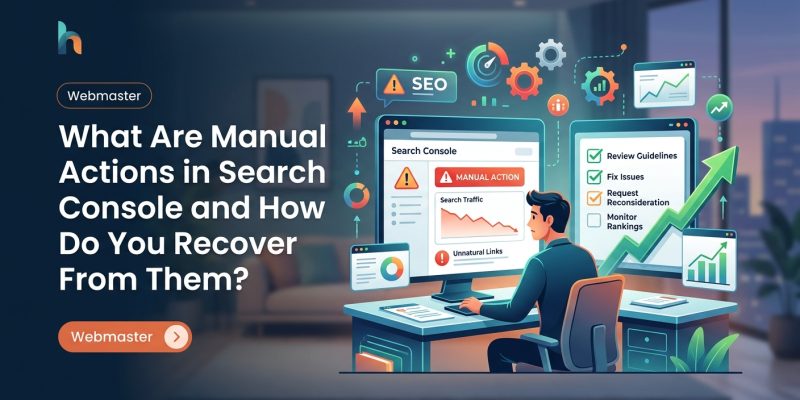
You check your email and see a notification from Google Search Console. Your stomach drops. Manual action detected.
Your site just got flagged by a human reviewer at Google, and your rankings are about to tank. Or maybe they already have.
Manual actions aren’t algorithmic penalties. They’re deliberate decisions made by Google’s spam team after reviewing your site. Someone looked at your pages and decided they violate Google’s guidelines. The good news? You can fix them and request a review. The bad news? You need to act fast and do it right the first time.
Manual actions are human-applied penalties in Google Search Console that suppress your site’s visibility in search results. They target specific violations like spam, hacking, or unnatural links. Recovery requires identifying the exact problem, fixing every instance across your site, documenting your changes, and submitting a reconsideration request with clear evidence. Most requests get reviewed within a few days if done correctly.
What manual actions actually mean for your site
A manual action is a targeted penalty applied by a Google employee after reviewing your site. Unlike algorithm updates that affect sites automatically, manual actions require human judgment.
When you receive one, Google reduces your site’s visibility in search results. Depending on the severity, this can mean:
- Your entire site disappears from Google
- Specific pages get demoted
- Your rankings drop for certain queries
- Rich results like featured snippets get removed
The notification appears in Search Console under Security & Manual Actions. Google tells you what they found, which pages are affected, and what you need to fix.
Manual actions don’t expire. Your site stays penalized until you fix the problem and Google approves your reconsideration request.
Types of manual actions you might receive
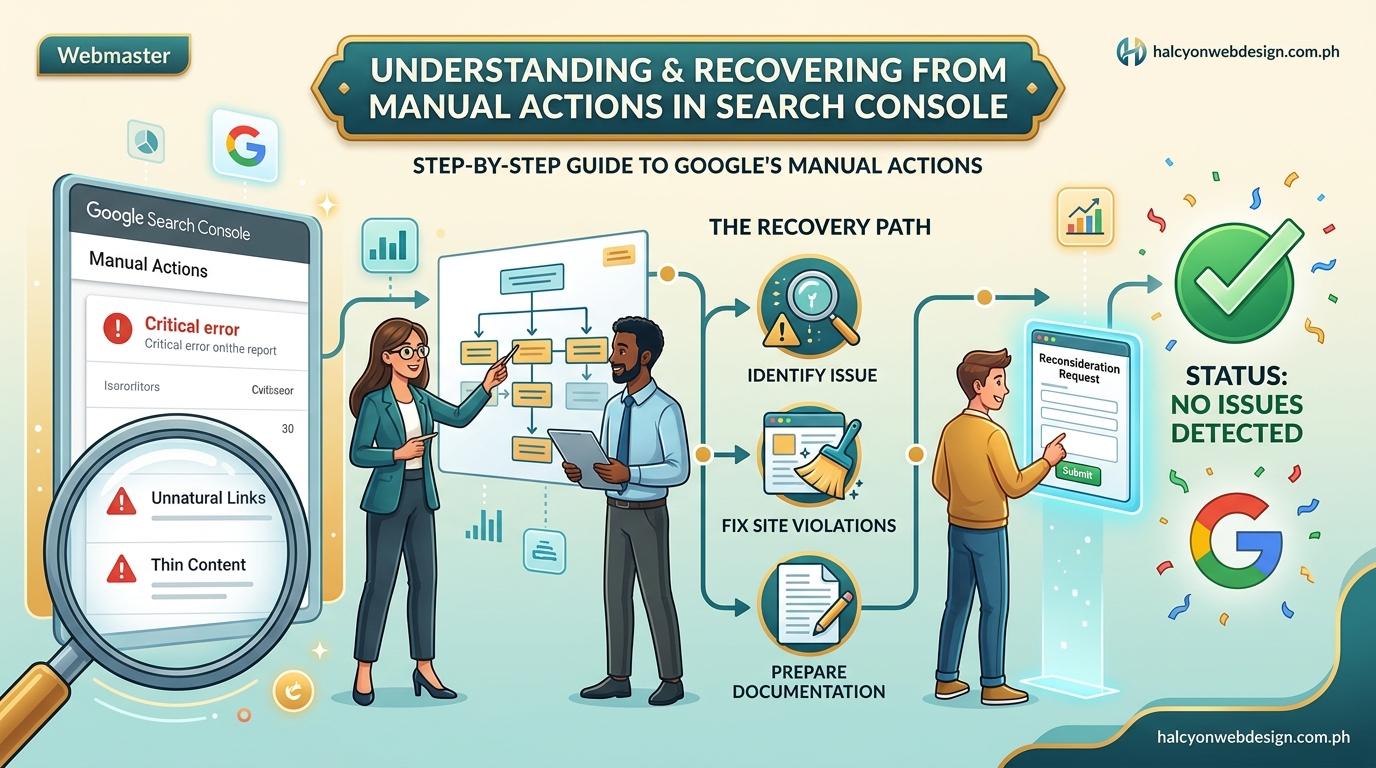
Google applies different manual actions based on what they find. Here are the most common ones.
Hacked site
Your site got compromised and now displays spam content, malware, or phishing pages. This is the most urgent manual action because it affects user safety.
Visitors might see warnings before entering your site. Google removes these pages from search results immediately.
User-generated spam
Comments, forum posts, or user profiles on your site contain spam. This happens when you don’t moderate user content properly.
Spammy free host
Your site lives on a free hosting platform known for spam. Google penalizes the entire hosting service, and your site gets caught in it.
Structured data issue
You’re misusing schema markup to manipulate search results. Common violations include marking up invisible content, adding reviews that don’t exist, or using schema on pages where it doesn’t apply.
Unnatural links to your site
Other sites are linking to you in ways that violate Google’s guidelines. This includes buying links, participating in link schemes, or getting links from spam networks.
Unnatural links from your site
You’re linking out to spam sites or selling links. Google sees this as manipulation.
Thin content
Your pages have little or no original content. This includes doorway pages, automatically generated content, scraped content, or affiliate sites with no added value.
Cloaking or sneaky redirects
You show different content to Google than you show to users. Or you redirect users to unexpected pages.
Hidden text or keyword stuffing
You’re hiding text by making it the same color as the background, using tiny fonts, or cramming keywords into pages unnaturally.
Pure spam
Your site exists only to manipulate search rankings. This is the most severe manual action and often results in complete removal from Google’s index.
How to check for manual actions right now
Log into Google Search Console. Select your property from the dropdown.
Look in the left sidebar for Security & Manual Actions. Click Manual Actions.
You’ll see one of three messages:
- “No issues detected” means you’re clear
- A list of issues with affected pages
- A history of past manual actions and their status
If you see an active manual action, click it to read the full explanation. Google tells you:
- What they found
- Which pages are affected
- Examples of violations
- What you need to do
Take screenshots of everything. You’ll need this information when you submit your reconsideration request.
Check your email too. Google sends notifications to the verified owners of your Search Console property. If you recently changed email addresses or added new team members, they might have received the alert instead.
Step by step recovery from a manual action
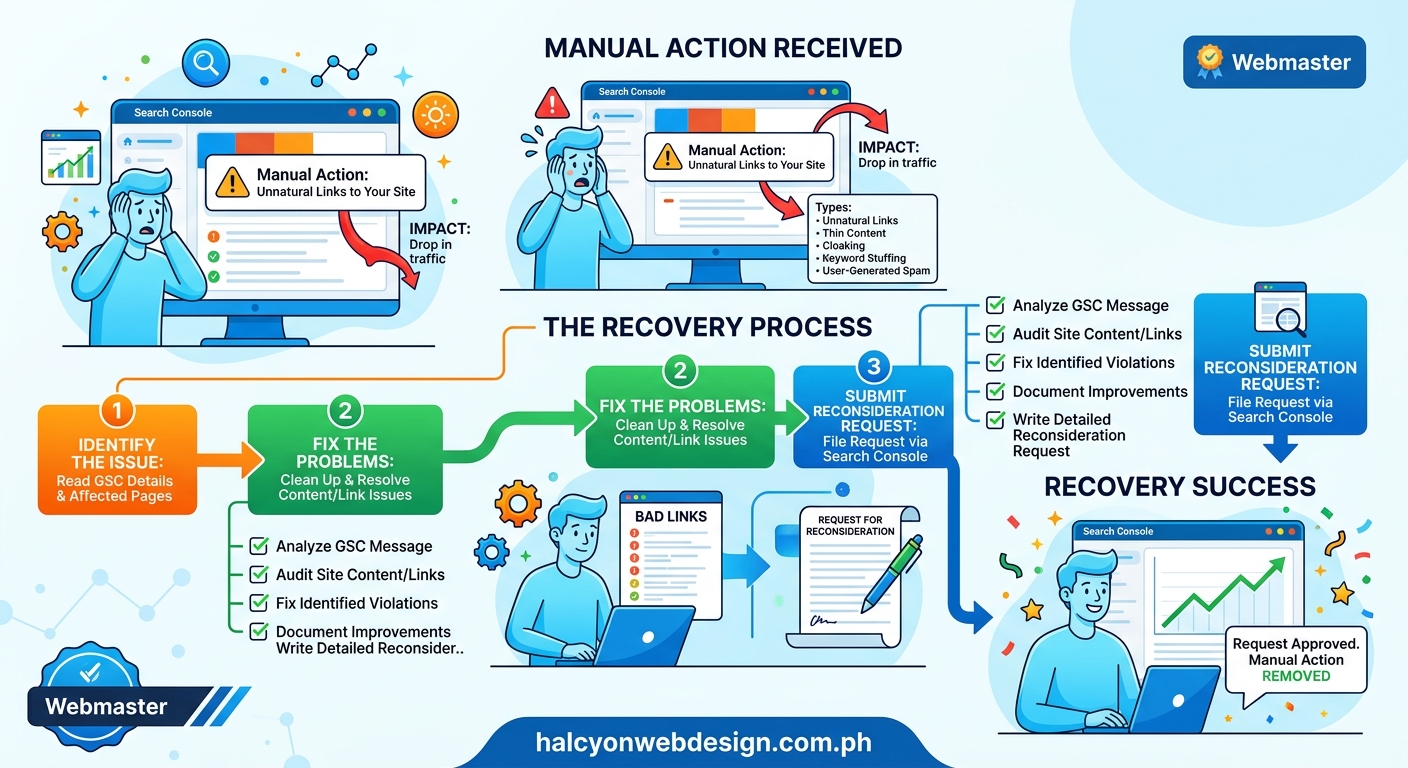
Recovery takes time and thoroughness. Rushing through it means Google will reject your reconsideration request, and you’ll wait even longer.
1. Identify every instance of the violation
Google shows you examples, but they don’t show you everything. Your job is to find every page or link that violates their guidelines.
Use Search Console’s URL Inspection tool to check the examples Google provided. Look at the source code. Check for hidden text, suspicious redirects, or schema markup issues.
If the penalty involves links, export your backlink profile from Search Console. Go to Links in the sidebar, then click More under Top linking sites. Download the list.
Review every link. Mark the ones that look unnatural:
- Links from spam directories
- Footer links on unrelated sites
- Links with exact-match anchor text
- Links from foreign language sites that don’t match your audience
- Links from sites with no real content
For thin content issues, audit every page on your site. Check your sitemap, crawl your site with a tool like Screaming Frog, or review your Google Analytics pages report to find low-quality content.
2. Fix the problems completely
Half measures don’t work. Google reviews your entire site when you submit a reconsideration request. If they find even a few remaining violations, they reject your request.
For hacked sites, clean every infected file. Change all passwords. Update WordPress, themes, and plugins. Install security measures to prevent future attacks. If you’re not technical, hire someone who specializes in WordPress security.
For user-generated spam, delete the spam content. Enable comment moderation. Add CAPTCHA to forms. Consider closing user registration if you can’t moderate effectively.
For spammy free hosting, move your site to a reputable host. You can’t fix this penalty while staying on the flagged platform. Learn about choosing the right hosting plan if you’re making the switch.
For structured data issues, remove or fix the incorrect markup. Use Google’s Rich Results Test to validate your changes. Only mark up content that’s visible to users. Don’t add fake reviews or manipulate ratings.
For unnatural links pointing to your site, contact webmasters and request removal. Use the email addresses in WHOIS records or site contact pages. Keep records of every request you send.
If you can’t get links removed, disavow them. Create a text file listing the URLs or domains you want Google to ignore. Upload it through the Disavow Tool in Search Console.
For unnatural links from your site, remove them. Delete entire pages if necessary. Don’t just nofollow the links. Google wants them gone.
For thin content, either improve the pages or delete them. Add unique, helpful content. If you can’t make a page valuable, remove it and set up a 301 redirect to a relevant page.
For cloaking, make sure Google sees exactly what users see. Remove any code that detects crawlers. Fix redirects that send users to unexpected destinations.
For hidden text and keyword stuffing, rewrite your content naturally. Remove invisible text. Use keywords only where they make sense for readers.
3. Document everything you changed
Google wants proof you fixed the problem. Create a detailed list of every change you made.
For link removals, save:
- The original list of bad links
- Copies of removal requests you sent
- Confirmation emails from webmasters
- Your disavow file
- Screenshots showing the links are gone
For content fixes, document:
- URLs of pages you deleted
- Before and after screenshots of pages you improved
- Redirects you set up
- New content you added
For technical fixes, note:
- Security measures you installed
- Plugins or code you removed
- Schema markup you corrected
- Moderation systems you enabled
This documentation goes into your reconsideration request. The more specific you are, the better your chances of approval.
4. Submit a reconsideration request
Go back to the Manual Actions section in Search Console. Click Request Review next to the manual action.
Write a clear explanation that includes:
- Acknowledgment of the specific violation
- Detailed description of what you fixed
- Links to your documentation
- Confirmation that you removed all violations, not just the examples Google showed
Be honest. Don’t make excuses. Don’t blame previous developers, SEO agencies, or competitors. Google doesn’t care why it happened. They care that you fixed it.
Keep your request under 500 words. Focus on facts and actions, not apologies.
Here’s a template structure:
“We received a manual action for [specific issue] on [date]. We understand this violated Google’s guidelines on [guideline name].
We took the following actions to fix this:
– [Specific action 1]
– [Specific action 2]
– [Specific action 3]
We reviewed our entire site and removed all instances of this violation. We’ve attached documentation showing [what you documented].
We’ve implemented [prevention measures] to ensure this doesn’t happen again. We’ve reviewed Google’s guidelines and understand what’s required to maintain a quality site.”
Submit the request and wait. Most reviews complete within a few days, but complex cases can take weeks.
Common mistakes that get reconsideration requests rejected
Google rejects most first-time reconsideration requests. Here’s why.
You didn’t fix everything. Google finds remaining violations you missed. They reject your request and make you start over.
Solution: Check your entire site, not just the examples they showed you. Use multiple methods to find violations.
Your explanation is vague. You write something like “We removed the bad links” without specifying which links or how you removed them.
Solution: Be specific. List URLs, dates, and methods. Show your work.
You’re making excuses. You blame someone else or claim you didn’t know about the guidelines.
Solution: Take responsibility. Focus on what you fixed, not why it happened.
You fixed the examples but not the pattern. Google showed you three spammy pages. You fixed those three but left 50 others untouched.
Solution: Treat the examples as indicators of a site-wide problem. Search for similar issues everywhere.
You’re still violating guidelines in different ways. You fixed the link spam but Google discovers hidden text during their review.
Solution: Audit your entire site for all types of violations before submitting your request.
You didn’t wait long enough. You submitted a reconsideration request the same day you made changes. Google checks your site and sees the violations still exist because search engines haven’t recrawled yet.
Solution: Wait at least a few days after making changes. Use the URL Inspection tool to request indexing of your fixed pages.
Preventing future manual actions
Once you recover, stay clean. Manual actions damage your reputation with Google, even after they’re lifted.
Review Google’s Webmaster Guidelines regularly. They update these guidelines as spam techniques evolve. What worked three years ago might violate current rules.
Monitor your backlink profile monthly. Check Search Console’s Links report. Look for suspicious new links. Disavow them before they become a problem.
Moderate user-generated content. If your site allows comments, forum posts, or reviews, check them daily. Enable pre-approval for new users. Block spam keywords.
Audit your content quarterly. Look for thin pages, duplicate content, or outdated information. Improve or remove pages that don’t serve users. Understanding why your pages aren’t ranking helps you maintain quality standards.
Keep WordPress and plugins updated. Outdated software creates security vulnerabilities that hackers exploit. Set up automatic updates for minor releases. Test major updates on a staging site first. Learn more about why WordPress updates matter for security.
Use legitimate SEO practices. Don’t buy links. Don’t participate in link exchanges. Don’t use private blog networks. Don’t scrape content. Don’t hide text. Don’t stuff keywords. If a tactic feels manipulative, it probably violates Google’s guidelines.
Set up security monitoring. Install a security plugin that alerts you to malware, suspicious file changes, or unauthorized logins. Consider services like Sucuri or Wordfence that scan your site daily.
Check Search Console weekly. Make it a habit. Look for new messages, coverage issues, or security problems. Catching issues early prevents them from becoming manual actions.
What to do if your reconsideration request gets rejected
Google sends you a message explaining why they rejected your request. Read it carefully.
They usually say one of two things:
- “We still see violations on your site” means you didn’t fix everything
- “Your request didn’t provide enough information” means your documentation was insufficient
Don’t resubmit immediately. That annoys the review team and hurts your chances.
Take these steps instead:
Review the rejection message for clues. Google sometimes provides new examples of violations you missed. Check those pages first.
Expand your audit. Look at sections of your site you didn’t check the first time. Review your entire backlink profile again. Check for similar violations on related pages.
Improve your documentation. Add more detail. Include more screenshots. Link to more examples of your fixes.
Wait a reasonable time before resubmitting. Give yourself at least a week to find and fix additional issues. Don’t rush.
Rewrite your reconsideration request. Address the specific reasons for rejection. Show what additional work you did.
Some manual actions require multiple reconsideration requests. This is normal for complex violations like unnatural links. Stay persistent but thorough.
Understanding the recovery timeline
Manual action recovery isn’t instant. Here’s what to expect.
Days 1 to 3: Fix violations and document changes. This takes the most time, especially for link-related penalties.
Days 4 to 7: Review your entire site one more time. Make sure you didn’t miss anything. Prepare your reconsideration request.
Days 8 to 14: Submit your request and wait for Google’s review. Most reviews complete within this window.
Days 15 to 30: If rejected, expand your audit and fix additional issues. Resubmit your request.
Days 31+: Complex cases, especially those involving thousands of bad links, can take months. Stay patient and keep improving your site.
After Google lifts the manual action, your rankings don’t recover immediately. It takes time for Google to recrawl your site and reassess your pages. You might see gradual improvement over several weeks.
Some sites never fully recover their previous rankings. This happens when the manual action revealed fundamental problems with your site’s quality or relevance. Focus on creating better content and building legitimate authority instead of trying to reclaim old rankings.
Monitoring your site after recovery
Set up alerts so you catch problems before they become manual actions.
Enable email notifications in Search Console. Go to Settings, then Users and permissions. Make sure your email address is verified and notifications are turned on.
Check the Coverage report weekly. Look for new errors, especially pages blocked by robots.txt or noindex tags you didn’t intend. These issues often indicate hacking or plugin conflicts.
Monitor your Core Web Vitals. Poor page experience doesn’t cause manual actions, but it affects your rankings. Use the Core Web Vitals report in Search Console to track performance.
Review your sitemap regularly. Make sure it only includes pages you want indexed. Remove thin content, duplicate pages, and utility pages. Learn how to submit your sitemap correctly.
Track your backlinks. Export your links report monthly. Compare it to previous months. Investigate any sudden spikes in new links.
Run security scans. Use your security plugin to scan for malware weekly. Check file integrity. Monitor login attempts.
Keep backups current. Maintain daily backups of your site and database. Store them off-site. Test your backups quarterly to make sure they work. Read about setting up automatic backups properly.
Manual actions vs algorithmic penalties
Manual actions and algorithmic penalties both hurt your rankings, but they work differently.
| Factor | Manual Action | Algorithmic Penalty |
|---|---|---|
| Applied by | Human reviewer | Automated system |
| Notification | Yes, in Search Console | No direct notification |
| Recovery | Submit reconsideration request | Fix issues and wait for recrawl |
| Timeline | Days to weeks after request | Weeks to months after fix |
| Specificity | Google tells you exactly what’s wrong | You have to diagnose the problem |
| Examples | Unnatural links, spam, hacking | Panda (thin content), Penguin (link spam) |
If your rankings dropped but you don’t see a manual action in Search Console, you likely got hit by an algorithm update. Check Google’s algorithm update history to see if an update coincided with your traffic drop.
Algorithm recovery requires different strategies. You still need to fix quality issues, but you don’t submit reconsideration requests. You make improvements and wait for Google to recrawl your site.
Getting help with manual action recovery
Some manual actions are straightforward. Others require technical expertise or significant resources.
When to handle it yourself:
– User-generated spam with clear examples
– Structured data issues you can test and fix
– Small numbers of unnatural links you can easily remove
– Content issues on a small site
When to hire help:
– Hacked sites if you’re not technical
– Thousands of bad backlinks requiring outreach
– Complex link schemes involving multiple sites
– Pure spam penalties that might require starting over
Look for professionals who specialize in penalty recovery. Check their reviews and case studies. Ask for a detailed plan before you commit.
Expect to pay between $500 and $5,000 depending on the severity. Link cleanup for large sites can cost more.
Protecting your site from negative SEO
Competitors sometimes build spammy links to your site hoping to trigger a manual action. This is called negative SEO.
Google claims their algorithms ignore most negative SEO attempts. Manual actions from negative SEO are rare but possible.
Signs of negative SEO:
– Sudden spike in low-quality backlinks
– Links from foreign language sites unrelated to your niche
– Links with suspicious anchor text
– Links from known spam networks
How to protect yourself:
– Monitor your backlink profile monthly
– Set up Google Alerts for your brand name
– Use Search Console email notifications
– Disavow suspicious links promptly
– Keep detailed records of your link building activities
If you receive a manual action you believe resulted from negative SEO, mention it in your reconsideration request. Provide evidence showing the links appeared suddenly and you didn’t build them. Google reviews these cases carefully but can distinguish between negative SEO and your own bad practices.
When manual actions affect specific pages vs your whole site
Some manual actions target individual pages or sections. Others penalize your entire domain.
Site-wide manual actions:
– Pure spam
– Hacked site
– Unnatural links to your site (usually)
– Spammy free host
Partial manual actions:
– Structured data issues
– Thin content
– User-generated spam
– Unnatural links from your site (sometimes)
Check the manual action message carefully. Google specifies whether the action affects your whole site or just certain pages.
For partial manual actions, fix the affected pages and similar pages throughout your site. Google might have only flagged examples, but the problem likely exists elsewhere too.
For site-wide manual actions, you need comprehensive fixes. These penalties indicate fundamental problems with how you operate your site.
Recovering your rankings after the penalty lifts
Lifting the manual action doesn’t guarantee your rankings return. Here’s how to rebuild.
Focus on quality first. The manual action revealed problems with your site. Fix the underlying issues, not just the symptoms. Create better content. Build legitimate relationships for natural links. Improve user experience.
Request reindexing. After Google lifts the penalty, use the URL Inspection tool to request indexing of your most important pages. This speeds up the recrawl process.
Build new, quality content. Show Google your site deserves to rank. Publish helpful articles. Create resources people want to link to. Solve problems for your audience.
Earn natural links. Reach out to relevant sites in your industry. Share your new content. Participate in your community. Links earned through genuine relationships carry more weight than anything you could buy or manipulate.
Monitor your progress. Track your rankings weekly. Watch your Search Console performance report. Look for gradual improvement in impressions and clicks.
Be patient. Full recovery takes months. Some sites never regain their previous rankings because those rankings were built on manipulative practices. Focus on sustainable growth instead of chasing old metrics.
Getting back on track after a manual action
Manual actions feel like disasters when they happen. Your traffic drops. Your revenue suffers. You panic.
But they’re also opportunities to fix fundamental problems with your site. Most sites that recover from manual actions end up stronger because they’re forced to adopt legitimate practices.
Start by checking Search Console right now. Even if you don’t have a manual action, familiarize yourself with where to find them. Set up email notifications. Review your backlink profile. Audit your content.
The best way to recover from a manual action is to never get one in the first place. Build your site the right way from the start. Create content that helps people. Earn links through quality and relationships. Follow Google’s guidelines.
If you already have a manual action, work through the recovery process methodically. Don’t rush. Don’t cut corners. Fix everything, document your work, and submit a thorough reconsideration request.
Your site can recover. You just need to do the work.