
Starting your first website feels exciting and overwhelming at the same time. You know you need WordPress hosting, but the options seem endless. Shared hosting, managed WordPress, VPS, cloud hosting. Different prices, different promises, and technical terms you’ve never heard before. Making the wrong choice could mean slow loading times, security issues, or paying for features you’ll never use.
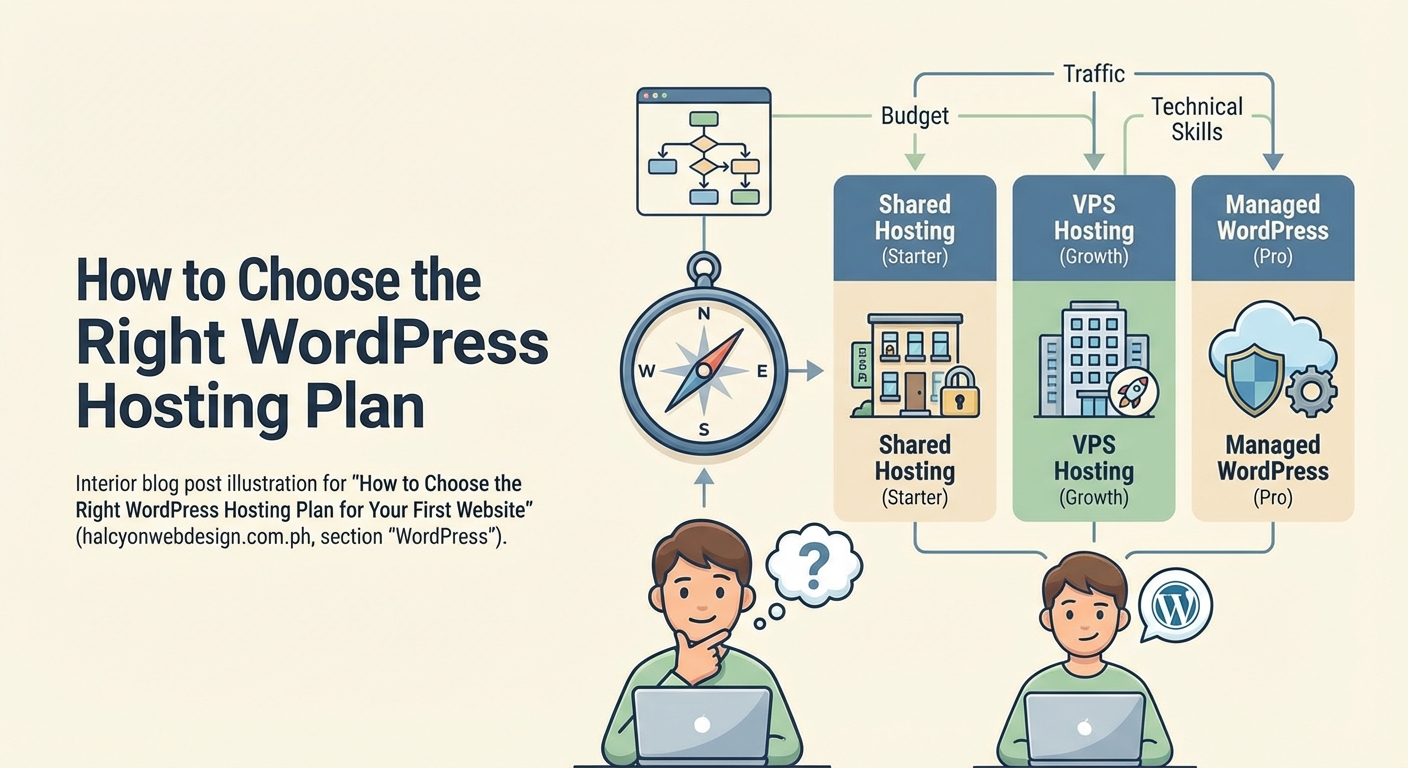
Choosing WordPress hosting depends on your website type, expected traffic, technical skills, and budget. Start with shared or managed WordPress hosting for small sites, prioritize uptime and support quality over flashy features, and ensure your plan includes SSL certificates, daily backups, and room to grow. Most beginners succeed with managed WordPress hosting because it handles technical tasks automatically while keeping costs reasonable.
Understanding different WordPress hosting types
WordPress hosting comes in several flavors, each designed for different needs and skill levels.
Shared hosting puts your website on a server with dozens or hundreds of other sites. You share resources like CPU, memory, and bandwidth. This keeps costs low, usually between $3 and $10 monthly. Performance can suffer during traffic spikes because other sites on your server might be using resources you need. Shared hosting works well for personal blogs, portfolio sites, or small business websites expecting fewer than 10,000 monthly visitors.
Managed WordPress hosting handles technical maintenance for you. The hosting company updates WordPress core, manages security patches, optimizes server settings specifically for WordPress, and provides automatic backups. Prices typically range from $15 to $50 monthly. You get better performance than shared hosting and support staff who actually understand WordPress. This option makes sense if you’d rather focus on content than server management.
VPS hosting gives you a dedicated slice of server resources. Think of it like renting an apartment instead of sharing a dorm room. You get guaranteed CPU, RAM, and storage that other users can’t touch. Prices start around $20 monthly and climb based on resources. VPS requires more technical knowledge because you’re responsible for server configuration and maintenance. Consider VPS when your site consistently receives over 50,000 monthly visitors or runs resource intensive plugins.
Cloud hosting spreads your website across multiple connected servers. If one server has issues, another picks up the load automatically. This redundancy improves reliability and makes scaling easier. Pricing often works on a pay for what you use model. Cloud hosting suits growing businesses that need flexibility and can’t afford downtime.
Matching hosting to your website goals
Your hosting needs depend entirely on what you’re building and who you’re serving.
A personal blog sharing recipes, travel stories, or hobbies works perfectly on basic shared hosting. You’ll probably start with a few hundred visitors monthly. Your main concerns are reliability and ease of use, not handling thousands of simultaneous users.
Small business websites need more reliability because downtime directly affects your reputation and revenue. A local bakery, consulting firm, or home services company should consider managed WordPress hosting. The automatic backups and security features protect your business information without requiring technical expertise.
Online stores running WooCommerce need solid performance because slow loading kills sales. Research shows that a one second delay in page load time reduces conversions by 7%. Start with managed WordPress hosting that specifically supports WooCommerce. As your product catalog and customer base grow, you’ll need to upgrade to VPS or cloud hosting.
Portfolio sites for photographers, designers, or artists need enough storage for high resolution images and fast loading speeds to showcase your work properly. Managed WordPress hosting typically provides sufficient resources and CDN integration to serve images quickly to visitors worldwide.
Membership sites or online courses require consistent uptime and good database performance because users are paying for access. You can’t afford frequent outages or slow page loads when students are trying to access lessons. Managed WordPress or VPS hosting makes sense here.
Evaluating performance and reliability features
Performance directly affects user experience, search rankings, and conversions. Several technical features determine how fast your site loads.
Server location matters more than most beginners realize. A server in Singapore will serve pages faster to visitors in Asia than a server in New York. Choose hosting with data centers near your primary audience. Many hosts let you select server location during signup.
SSD storage loads pages significantly faster than traditional hard drives. All reputable hosts now use SSDs, but it’s worth confirming. The difference becomes noticeable as your site grows and your database gets larger.
PHP version support affects both speed and security. WordPress runs on PHP, and newer versions execute code faster. Your host should support at least PHP 8.0 and make updating easy through your control panel.
Caching reduces server load and speeds up page delivery. Managed WordPress hosts typically include built in caching. With shared hosting, you’ll need to configure caching yourself using plugins. Server level caching always performs better than plugin based caching.
CDN integration distributes your images, CSS, and JavaScript files across global servers. When someone in Australia visits your site, they load files from a nearby CDN server instead of your main hosting server in the United States. Many hosts include free CDN access through Cloudflare.
Uptime guarantees tell you how reliable the service promises to be. Most hosts advertise 99.9% uptime, which allows about 8 hours of downtime yearly. Look for hosts that publish their actual uptime statistics publicly and offer compensation if they fail to meet guarantees.
Choose hosting that publishes real uptime data and offers refunds when they miss targets. Promises mean nothing without accountability and transparency.
Assessing support quality and availability
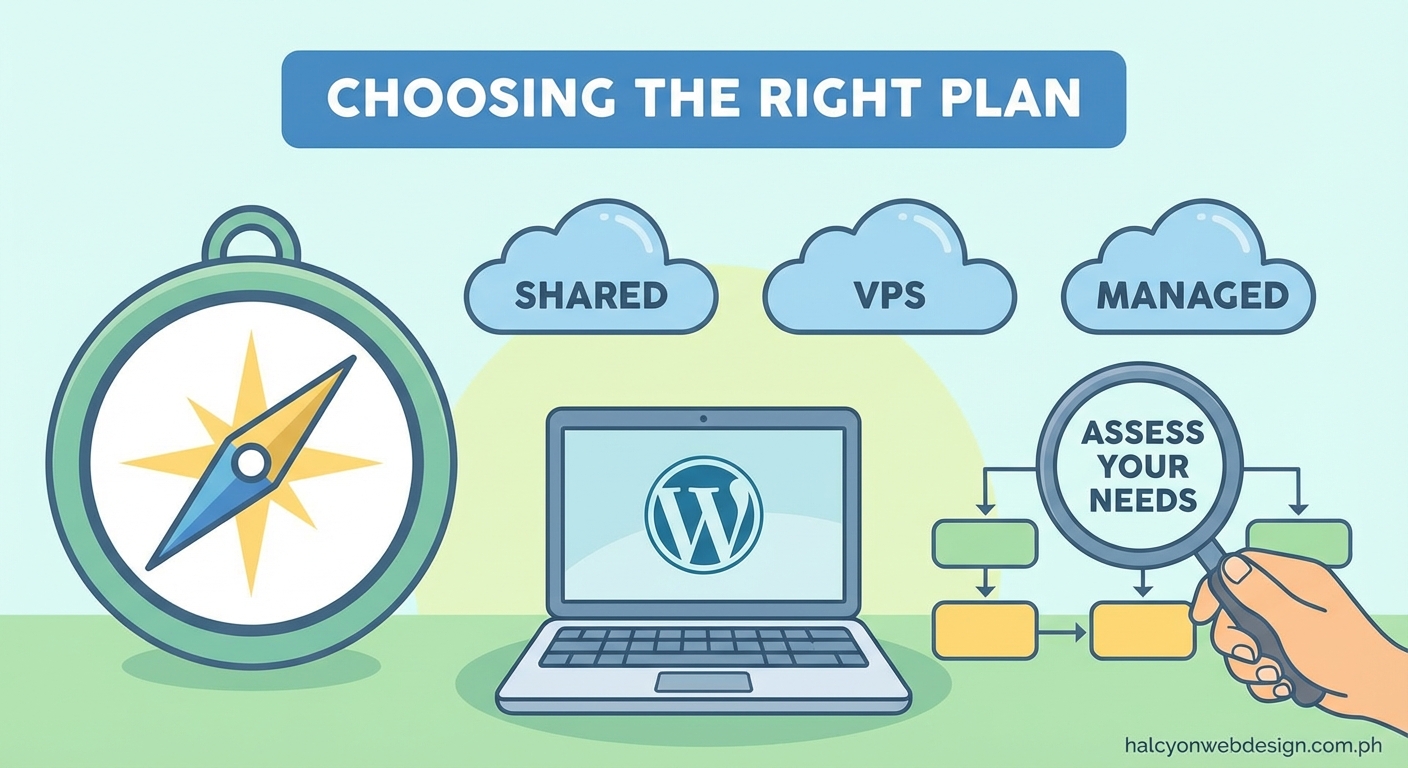
Technical problems happen to everyone. The quality of customer support often matters more than the hosting plan itself.
Support availability varies widely between hosts. Budget shared hosting might only offer email support with 24 to 48 hour response times. Premium hosts provide 24/7 live chat and phone support. Consider when you typically work on your website. If you update content late at night or on weekends, you need around the clock support.
Support expertise makes a huge difference. Generic hosting companies train support staff to handle all types of hosting across multiple platforms. WordPress specific hosts employ people who actually use WordPress daily and understand common issues. You’ll get better help faster when the support person knows the difference between a plugin conflict and a theme issue.
Response time matters when your site goes down. Check reviews to see how long customers actually wait for help, not just what the company claims. A host advertising 24/7 support that takes three hours to respond isn’t much help during an emergency.
Knowledge base quality shows how much a company invests in customer success. Good hosts maintain detailed documentation, video tutorials, and troubleshooting guides. You’ll solve many issues yourself using these resources instead of waiting for support.
Comparing essential security features
Security protects your content, your visitors, and your reputation. Several features should come standard with any WordPress host.
SSL certificates encrypt data between your website and visitors. Google ranks HTTPS sites higher than HTTP sites, and browsers now warn users when visiting non secure sites. Most hosts include free SSL certificates through Let’s Encrypt. Confirm this before purchasing because some budget hosts charge extra.
Automatic backups create restore points if something goes wrong. Daily backups are standard with managed WordPress hosting. Shared hosting might only backup weekly or require you to handle backups yourself. Check how long the host retains backups and whether restoring is free or costs extra.
Malware scanning detects infected files before they cause serious damage. Managed WordPress hosts typically scan daily and remove malware automatically. With shared hosting, you’ll need security plugins to monitor your site.
Firewall protection blocks malicious traffic before it reaches your website. Server level firewalls work better than plugin based solutions because they stop attacks earlier in the process.
WordPress core updates keep your site secure against known vulnerabilities. Managed hosts apply security patches automatically. With other hosting types, you’re responsible for updating WordPress, which many beginners forget to do regularly.
Two factor authentication adds security to your hosting account login. If someone steals your password, they still can’t access your account without the second authentication factor.
Understanding pricing structures and hidden costs
Hosting prices can be confusing because companies advertise low introductory rates that increase significantly at renewal.
Introductory pricing typically requires a one, two, or three year commitment. A host advertising $2.95 monthly might charge that rate only if you pay $106 upfront for three years. The renewal price often jumps to $8 or $10 monthly. Always check the renewal rate before committing.
Domain registration sometimes comes free for the first year, then costs $15 to $20 annually at renewal. Some hosts charge above market rates for domain renewals to lock you in. You can always transfer your domain to a cheaper registrar later.
Email hosting isn’t always included. Some hosts provide unlimited email accounts. Others charge $1 to $5 monthly per email address or don’t offer email at all. If you need professional email addresses, confirm what’s included.
Migration services help move an existing site to your new host. Managed WordPress hosts usually offer free migration. Budget shared hosts might charge $50 to $150 for migration assistance.
Resource limits on shared hosting plans can trigger overage charges. Some hosts advertise unlimited bandwidth but throttle your site or charge extra if you exceed unstated thresholds. Read the terms of service to understand actual limits.
Backup restoration might cost extra even if the host creates backups automatically. Some companies charge $10 to $50 per restore. Free restoration should be standard.
Making the decision with a comparison framework
Use this table to evaluate hosting options side by side:
| Factor | What to Look For | Red Flags |
|---|---|---|
| Uptime | 99.9% guarantee with published stats | No uptime data or guarantees |
| Support | 24/7 live chat, WordPress expertise | Email only, generic support |
| Backups | Daily, free restoration, 30 day retention | Weekly or manual only |
| SSL | Free, auto renewal | Extra cost or complicated setup |
| Pricing | Clear renewal rates, monthly option | Hidden fees, forced long contracts |
| Speed | SSD, PHP 8+, CDN included | HDD storage, outdated PHP |
Follow these steps to choose your hosting:
- List your must have features based on your website type and technical comfort level.
- Set a realistic budget including renewal pricing, not just the first year.
- Research three to five hosts that match your requirements and read recent customer reviews.
- Check if they offer a money back guarantee, typically 30 to 60 days.
- Start with a shorter term commitment even if longer terms cost less monthly.
- Test their support before buying by asking a technical question through chat.
Common mistakes to avoid:
- Choosing based solely on price without considering performance and support quality
- Ignoring renewal rates and committing to three year contracts
- Selecting plans with resources far beyond your current needs
- Overlooking backup and security features that seem boring but matter tremendously
- Trusting affiliate reviews without checking independent customer feedback
Planning for growth and scalability
Your hosting needs will change as your website grows. Choose a host that makes upgrading simple.
Traffic growth happens faster than expected when content goes viral or marketing campaigns succeed. Your hosting should handle traffic spikes gracefully without crashing. Managed WordPress and cloud hosting scale better than basic shared hosting.
Upgrade paths should be clear and simple. Can you move from shared to managed WordPress hosting with the same company? Do they offer VPS options? Switching hosts later is possible but time consuming. Starting with a company that offers multiple hosting tiers makes growth easier.
Resource monitoring helps you understand when to upgrade. Good hosts provide dashboards showing CPU usage, memory consumption, and bandwidth. These metrics tell you when you’re outgrowing your current plan.
Staging environments let you test changes before pushing them live. This feature is standard with managed WordPress hosting but rare with basic shared hosting. Staging becomes essential as your site grows more complex.
Your hosting choice sets the foundation
The hosting you choose affects everything you build on top of it. Fast, reliable hosting makes managing your website easier and helps visitors have better experiences. Poor hosting creates constant frustration and limits what you can accomplish.
Start with hosting that matches your current needs and budget while leaving room to grow. Most beginners succeed with managed WordPress hosting because it handles technical complexity automatically. You’ll spend time creating content instead of troubleshooting server issues.
Take advantage of money back guarantees to test your choice. Use the first month to evaluate performance, test support quality, and confirm the control panel makes sense to you. If something feels wrong, switch early before you’re locked in.
Your first hosting choice doesn’t have to be perfect. It just needs to be good enough to get started and flexible enough to grow with you.