
Choosing the wrong WordPress hosting plan can slow down your site, frustrate visitors, and cost you more money than necessary. The right hosting plan, on the other hand, keeps your site fast, secure, and ready to grow as your business expands.
Selecting WordPress hosting requires matching your technical needs with your budget. Evaluate hosting types (shared, VPS, managed), assess performance features like speed and uptime, check security measures, and verify support quality. Start with what you need now, but choose a host that lets you scale as your traffic grows without migrating everything later.
Understanding different WordPress hosting types
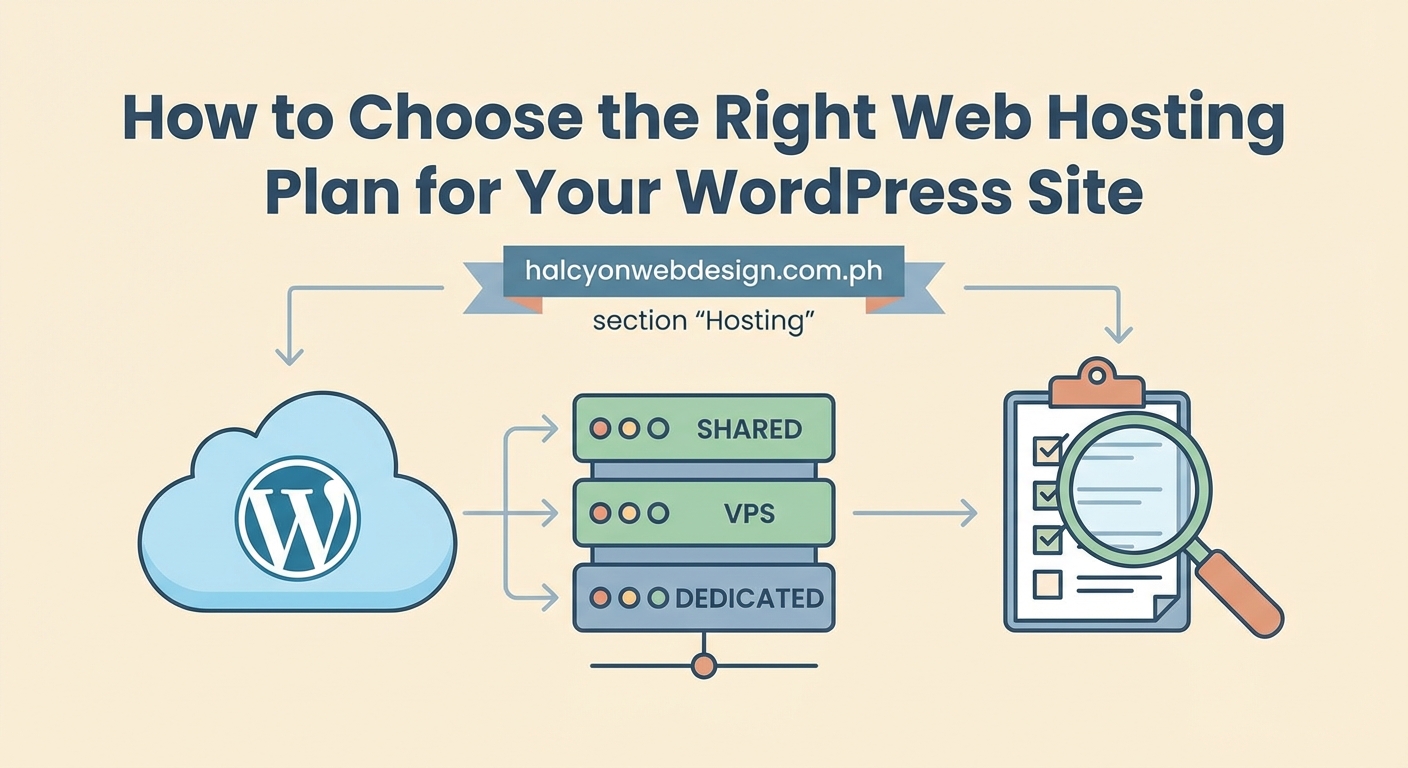
WordPress hosting comes in several flavors, each designed for different traffic levels and technical expertise.
Shared hosting puts your site on a server with dozens or hundreds of other websites. You share resources like CPU, memory, and bandwidth. This makes it affordable, usually between $3 and $10 per month. Shared hosting works well for new blogs, small business sites, or portfolios that get fewer than 10,000 visitors monthly. The downside? If another site on your server gets a traffic spike, your site might slow down too.
VPS hosting (Virtual Private Server) gives you a dedicated slice of server resources. Think of it like renting an apartment instead of sharing a dorm room. You get guaranteed CPU and RAM, which means more consistent performance. VPS plans typically cost $20 to $80 monthly and handle sites with 10,000 to 100,000 visitors. You’ll need some technical knowledge to manage server settings, though many hosts offer managed VPS options.
Managed WordPress hosting handles all the technical details for you. The host optimizes servers specifically for WordPress, installs updates automatically, and provides WordPress-specific support. Prices range from $15 to $50+ monthly. This option suits business owners who want to focus on content rather than server management.
Dedicated hosting means you rent an entire physical server. Your site gets all the resources with zero sharing. This costs $100 to $500+ monthly and makes sense only for high-traffic sites exceeding 500,000 monthly visitors or sites with special security requirements.
Matching hosting to your traffic expectations
Your current traffic matters less than your expected growth over the next 12 months.
A brand new site can start with shared hosting and upgrade later. But if you’re launching with an email list of 5,000 subscribers or planning a marketing campaign, start with VPS or managed hosting. Migrating hosts later takes time and creates potential downtime.
Here’s a practical framework:
- 0 to 5,000 monthly visitors: Shared hosting handles this easily
- 5,000 to 25,000 monthly visitors: Consider managed WordPress or entry-level VPS
- 25,000 to 100,000 monthly visitors: VPS or mid-tier managed hosting
- 100,000+ monthly visitors: High-tier managed hosting or dedicated servers
Don’t forget about traffic spikes. If you publish seasonal content, run promotions, or expect media coverage, your hosting needs to handle 3x to 5x your average traffic without crashing.
Performance features that actually matter
Speed affects everything from user experience to search rankings. Google uses page speed as a ranking factor, and visitors abandon sites that take more than three seconds to load.
Look for these performance indicators:
Server location impacts speed significantly. A server in Singapore will load faster for Philippine visitors than one in Germany. Many hosts offer multiple data center locations. Choose the one closest to your primary audience.
SSD storage loads pages 3x to 5x faster than traditional hard drives. Most modern hosts use SSDs, but budget shared hosting sometimes still relies on older technology. Always verify.
Content Delivery Network (CDN) integration caches your site content on servers worldwide. When someone in Japan visits your site hosted in Manila, the CDN serves files from a nearby Japanese server. Some hosts include free CDN access with their plans.
PHP version and caching directly affect WordPress performance. Your host should support PHP 8.0 or newer and offer built-in caching solutions like Redis or Memcached. These features can make your site 2x to 10x faster without any coding.
Resource limits determine how many visitors your site can handle simultaneously. Check the RAM allocation, CPU cores, and bandwidth caps. Unlimited bandwidth sounds great, but read the fine print. Many hosts throttle speeds or suspend accounts that use “excessive” resources, even on unlimited plans.
Security features you shouldn’t skip
WordPress powers 43% of all websites, making it a popular target for attacks. Your hosting plan should include baseline security measures.
SSL certificates encrypt data between your site and visitors. Google marks sites without SSL as “Not Secure,” which tanks trust and rankings. Most hosts now include free SSL certificates through Let’s Encrypt. If a host charges extra for SSL, look elsewhere.
Automated backups save your site when things go wrong. Daily backups let you restore your site after a hack, bad plugin update, or accidental deletion. Verify how long the host keeps backups (30 days is standard) and whether restoring backups costs extra.
Malware scanning and removal catches security issues before they damage your site. Premium hosts scan daily and remove malware for free. Budget hosts might scan weekly or charge $100+ for malware removal.
Firewall protection blocks malicious traffic before it reaches your site. Web Application Firewalls (WAF) filter out common attack patterns and bot traffic. This feature usually comes with managed WordPress hosting but costs extra on shared plans.
A solid backup system matters more than any other security feature. You can recover from almost anything if you have a recent, working backup stored off-site.
Support quality makes or breaks your experience
Technical issues happen at the worst possible times. Your hosting support team becomes your lifeline when your site goes down at 2 AM before a product launch.
Test support before committing to an annual plan:
- Send a pre-sales question through live chat and note the response time
- Check if support is available 24/7 or only during business hours
- Ask a technical WordPress question to gauge expertise level
- Search for the host’s name plus “support” on Twitter to see real customer experiences
Response time matters more than support channels. A host offering phone, chat, and email support means nothing if average response time exceeds four hours. Look for hosts promising under 30-minute response times for urgent issues.
WordPress expertise varies wildly among support teams. Generic hosting companies often employ general support staff who know little about WordPress-specific issues. Managed WordPress hosts typically staff their support with WordPress specialists who can troubleshoot plugin conflicts, theme issues, and performance problems.
Pricing structures and hidden costs
The advertised price rarely tells the full story.
Most hosts advertise promotional rates that apply only to your first term, usually 12 to 36 months. The renewal price might double or triple. A host advertising $3.95 monthly might charge $9.95 monthly upon renewal.
| Cost Factor | What to Check | Typical Range |
|---|---|---|
| Initial term | Promotional rate duration | 1 to 3 years |
| Renewal rate | Price after promo expires | 2x to 3x initial |
| Domain name | Free first year or annual fee | $0 to $15 yearly |
| SSL certificate | Included or extra charge | Free to $50 yearly |
| Backups | Included or add-on cost | Free to $3 monthly |
| Site migrations | Free transfer or setup fee | Free to $150 |
| Overage fees | Charges for exceeding limits | Varies widely |
Money-back guarantees give you an escape route. Standard guarantees last 30 days, but some hosts offer 60 or 90 days. Read the refund policy carefully. Some hosts refund only the hosting fee, not domain registration or add-on services.
Upgrade paths determine your future flexibility. Can you upgrade from shared to VPS hosting with the same company? Do you keep your current rate or pay full price for the new tier? Hosts that make upgrading difficult or expensive will cost you more long-term.
Scalability for future growth
Your hosting needs will change as your site grows. Choosing a host with clear upgrade paths saves you from migrating later.
Vertical scaling means upgrading to a better plan with the same host. This works smoothly when the host offers a clear progression from shared to managed to VPS hosting. You keep your same control panel, support team, and configuration.
Horizontal scaling means adding more servers to distribute load. This matters only for very large sites but indicates a host’s technical sophistication. Managed WordPress hosts often handle this automatically through load balancing.
Staging environments let you test changes before pushing them live. This feature usually comes with managed WordPress hosting but rarely appears in shared hosting plans. Staging sites prevent broken updates from taking down your live site.
Control panel and ease of use
The control panel is where you’ll manage email accounts, install WordPress, view analytics, and handle daily tasks.
cPanel remains the industry standard for shared hosting. It’s user-friendly, well-documented, and familiar to most web developers. If you hire help later, they’ll know cPanel.
Custom dashboards vary in quality. Some managed WordPress hosts build their own interfaces that simplify WordPress-specific tasks but hide advanced server settings. These work great for beginners but frustrate users who want full control.
One-click WordPress installation should be standard in 2024, but some budget hosts still require manual installation. Verify this feature exists before signing up.
Email hosting considerations
WordPress hosting and email hosting are separate services, though many hosts bundle them together.
Included email usually comes with shared hosting plans. You get email addresses using your domain (like [email protected]) with 5GB to unlimited storage. This works fine for small businesses sending fewer than 100 emails daily.
Email limitations on shared hosting include sending limits (often 100 to 500 emails per hour) to prevent spam. If you send newsletters, these limits might block legitimate emails. You’ll need a dedicated email service like Mailchimp or SendGrid for bulk sending.
Separate email hosting through Google Workspace or Microsoft 365 costs $6 to $12 per user monthly but offers better spam filtering, more storage, and professional features. Many businesses use hosting-included email for general inquiries and premium email for their team.
Reading between the lines of hosting reviews
Online reviews require careful interpretation. Hosting companies actively manage their reputations, making it hard to find honest feedback.
Look for reviews mentioning:
- Specific technical issues and how support resolved them
- Actual uptime percentages over several months
- Real renewal prices, not promotional rates
- Migration experiences from other hosts
- How the host handled traffic spikes or security incidents
Avoid reviews that:
- Sound like marketing copy with no specific details
- Come from affiliate review sites ranking 10+ hosts as “best”
- Lack dates (hosting quality changes as companies grow or get acquired)
- Focus only on price without mentioning performance or support
Reddit threads, Twitter searches, and WordPress community forums often provide more honest feedback than professional review sites.
Making your final decision
Choosing WordPress hosting comes down to balancing your current needs with future flexibility.
Start by listing your requirements:
- Expected monthly visitors for the next 12 months
- Your technical comfort level with server management
- Your budget for both initial and renewal terms
- Must-have features (staging, daily backups, specific PHP version)
- Deal-breakers (poor support, frequent downtime, hidden fees)
Narrow your options to three hosts that meet these criteria. Sign up for the shortest term available (usually monthly or quarterly) even though annual plans offer better rates. Test the service for two weeks:
- Install WordPress and your essential plugins
- Run speed tests from multiple locations
- Contact support with a technical question
- Check resource usage in your control panel
- Test how the site handles your typical traffic
If everything works smoothly, commit to an annual plan for the discount. If you encounter issues, the money-back guarantee lets you switch hosts without losing much money.
Your hosting choice sets the foundation
The hosting plan you choose today affects your site’s performance, security, and growth potential for years. Take time to evaluate your actual needs rather than choosing the cheapest option or the host with the flashiest marketing.
Start with a host that matches your current traffic and technical skills, but verify they offer clear upgrade paths as you grow. Test their support quality before committing to long-term contracts. And remember that moving hosts later is possible, but starting with the right host from day one saves you time, stress, and potential downtime.
Your WordPress site deserves hosting that works as hard as you do.