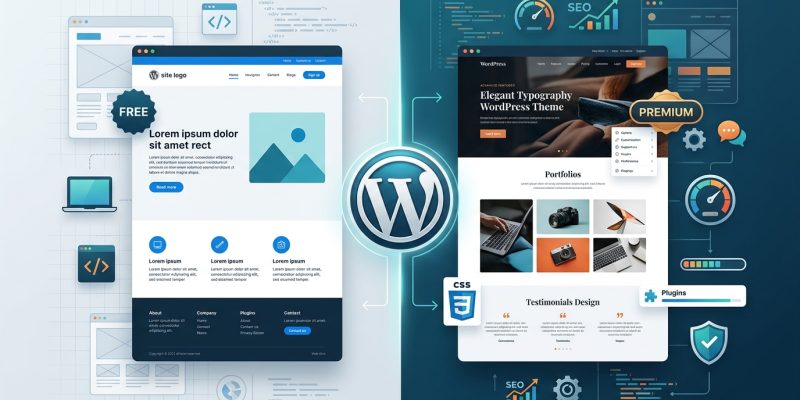
Choosing between a free and premium WordPress theme feels like standing at a fork in the road. One path costs nothing upfront but might limit your options later. The other requires an investment but promises more control and support. Both can build successful websites, but they suit different needs, budgets, and skill levels.
Free WordPress themes work well for simple sites with basic needs, while premium themes offer advanced features, dedicated support, and regular updates. Your choice depends on your budget, technical skill, customization requirements, and long-term goals. Most beginners start free and upgrade when they outgrow the limitations. Business sites often benefit from premium themes immediately.
What you actually get with free WordPress themes
Free themes live in the official WordPress.org repository. Anyone can download and install them without paying a cent.
They provide basic functionality. You get layouts, color options, and standard features like menus, widgets, and responsive design. Many free themes include customization options through the WordPress Customizer.
But free themes have boundaries.
You cannot call someone for help when things break. Support happens through community forums where volunteers answer questions when they have time. Response times vary from hours to never.
Updates depend on the developer’s goodwill. Some theme authors maintain their free products for years. Others abandon projects after a few months. You have no guarantee either way.
Free themes rarely include premium features like advanced page builders, demo content importers, or specialized layouts. You might need plugins to fill these gaps, which can slow down your site if you are not careful about choosing the right WordPress plugin without breaking your site.
Documentation ranges from thorough to nonexistent. Popular free themes often have extensive guides. Lesser-known options might offer a single readme file.
Premium themes come with these specific advantages
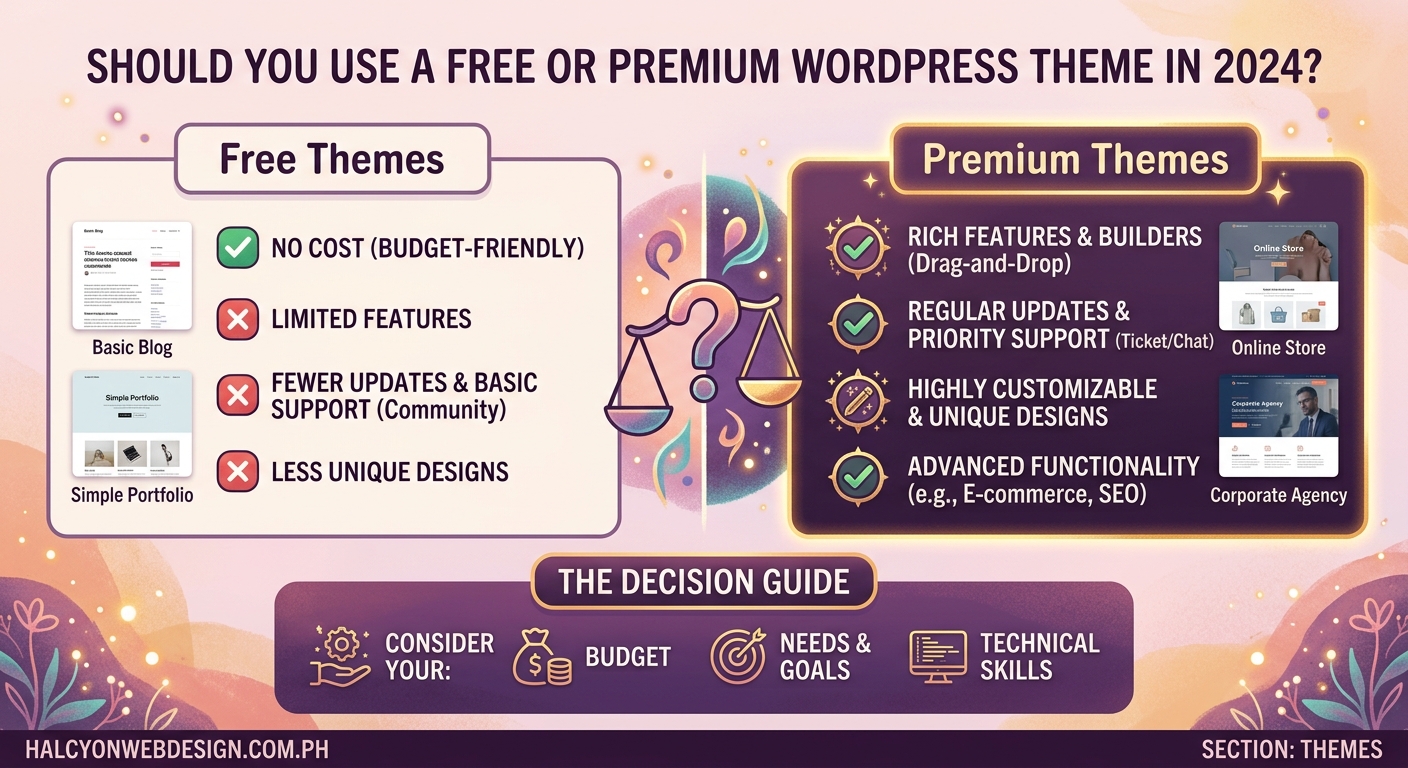
Premium themes cost between $30 and $200 for most options. That price usually covers one year of support and updates.
You get direct access to the theme developer. Email tickets, live chat, or dedicated support forums connect you to people paid to solve your problems. Response times typically fall within 24 to 48 hours.
Regular updates keep your theme compatible with the latest WordPress version. Premium theme shops have a financial incentive to maintain their products. They lose customers if themes break after core WordPress updates.
Advanced features come standard. Page builders, header builders, mega menus, multiple demo sites, and one-click import tools ship with most premium themes. These features would require multiple plugins on a free theme.
Better performance optimization appears in premium themes. Developers invest time in clean code, lazy loading, and efficient CSS because their reputation depends on it.
Premium themes often include premium plugins bundled at no extra cost. A theme priced at $60 might include page builder plugins worth $200 if purchased separately.
Breaking down the real cost differences
Free themes cost nothing to download. But hidden costs appear over time.
You might spend money on premium plugins to match premium theme features. A free theme plus a page builder plugin plus a forms plugin plus a slider plugin can exceed the cost of a premium theme that includes all these tools.
Time represents another cost. Troubleshooting without dedicated support means hours searching forums, reading documentation, and testing solutions. Small business owners often find their time worth more than the theme price.
Premium themes have upfront costs but clearer total expenses. You know exactly what you pay and what you get. Renewal fees for continued support typically cost 40% to 60% of the original price.
Some premium theme shops offer lifetime deals. Pay once, get updates and support forever. These deals suit long-term projects but cost more initially.
When free themes make perfect sense
Personal blogs rarely need premium features. If you write about your hobbies, share recipes, or document your travels, a free theme handles everything.
Portfolio sites for creative professionals work well with free themes. Photographers, writers, and designers can showcase work without advanced functionality.
Testing WordPress before committing makes free themes ideal. You can learn the platform, understand how themes work, and decide if WordPress suits your needs.
Nonprofit organizations with zero budgets benefit from free themes. Every dollar saved on themes can fund actual mission work.
Small local businesses with simple needs might thrive on free themes. A restaurant menu, contact information, and hours of operation do not require premium features.
Students and learners exploring web design should start with free themes. You can experiment, break things, and rebuild without financial pressure.
Premium themes become necessary for these situations
E-commerce sites need premium themes. Online stores require WooCommerce integration, product layouts, cart functionality, and checkout customization that free themes rarely provide adequately.
Business websites representing professional services benefit from premium themes. Law firms, consultants, agencies, and medical practices need polished designs and reliable support.
Membership sites with restricted content areas demand premium features. User dashboards, login systems, and content restrictions work better with premium themes built for these purposes.
Magazine or news sites publishing frequent content need advanced layouts. Multiple content areas, custom post formats, and complex category displays exceed most free theme capabilities.
Sites requiring specific design control benefit from premium page builders. Drag-and-drop editing, custom headers, and precise spacing control come standard in premium themes.
Multi-language sites work better with premium themes. Translation-ready features and RTL language support receive better implementation in paid products.
How to evaluate theme quality before choosing
Check the last update date. Themes updated within the past three months show active maintenance. Anything older than six months raises concerns about abandonment.
Read user reviews carefully. Look for patterns in complaints. One person struggling might face a unique issue. Ten people reporting the same problem indicates a real flaw.
Test the demo thoroughly. Click every menu item. View pages on mobile devices. Test forms and interactive elements. Slow demos often mean slow live sites, and you can check if your WordPress theme slows down your site using specific tools.
Review the documentation. Good themes include setup guides, video tutorials, and troubleshooting sections. Poor documentation signals poor support.
Examine the code quality if you have technical skills. View the source code. Clean, commented code indicates professional development. Messy code causes problems later.
Check compatibility statements. Themes should explicitly state WordPress version compatibility, PHP version requirements, and plugin compatibility.
Comparing support options side by side
| Support Type | Free Themes | Premium Themes |
|---|---|---|
| Response time | Hours to weeks | 24 to 48 hours typically |
| Support channel | Community forums | Email, chat, dedicated forums |
| Who helps | Volunteers | Paid support staff |
| Guaranteed help | No guarantee | Included with license |
| Update frequency | Varies widely | Regular, scheduled updates |
| Bug fixes | When volunteers have time | Priority fixes for paying customers |
| Feature requests | Rarely implemented | Sometimes added to roadmap |
| Documentation | Basic to none | Comprehensive guides and videos |
The support difference matters most when problems arise. A broken site costs money every hour it stays down. Premium support gets you back online faster.
Common mistakes people make when choosing themes
Choosing themes based solely on appearance leads to regret. Beautiful demos might hide slow code, poor mobile optimization, or limited customization. Function matters more than initial appearance.
Installing too many themes to test them creates clutter. Each installed theme adds files to your server. Test one at a time, delete before trying the next.
Ignoring mobile responsiveness causes problems. Over 60% of web traffic comes from mobile devices. Themes must work perfectly on phones and tablets, following mobile-first design principles every beginner should know.
Skipping child themes when customizing leads to lost work. Theme updates overwrite your changes unless you use a child theme. Learn about child themes and when you need one before making modifications.
Forgetting about long-term costs surprises people. Premium themes require renewal fees. Budget for ongoing costs, not just initial purchase.
Choosing themes with too many features slows sites down. More features mean more code. Bloated themes hurt performance and user experience.
Testing a theme before fully committing
Install themes on a staging site first. Never test themes on your live website. Staging environments let you break things safely without affecting visitors.
Import demo content to see real layouts. Empty themes look different than populated ones. Demo content reveals how the theme handles actual posts, images, and pages.
Test all major features you plan to use. Contact forms, galleries, sliders, and custom post types should all work smoothly during testing.
Check page load speeds with the theme active. Use tools to measure performance. Themes should not add more than a second to load times.
Verify plugin compatibility with your essential plugins. Install your must-have plugins and test for conflicts. Some themes clash with popular plugins.
Review the customization options available. Make sure you can change colors, fonts, and layouts to match your brand without touching code.
Making the switch from free to premium
Start by researching themes that match your needs. Make a shortlist of three to five options. Compare features, prices, and reviews.
Purchase during sales if possible. Many theme shops offer discounts during holidays or special events. Savings of 20% to 50% are common.
Back up your entire site before switching. Use a backup plugin or manual backup. You need a restore point if anything goes wrong, and you should know how to back up your WordPress site manually.
Install and activate the new theme on staging first. Configure all settings and import demo content. Make sure everything works before going live.
Customize the theme to match your brand. Adjust colors, upload your logo, set fonts, and configure layouts. Most premium themes make this easy through visual customizers.
Test thoroughly before switching on your live site. Click every link. Test every form. View every page on multiple devices.
Switch themes during low-traffic hours. Early morning hours minimize the number of visitors who might experience issues during the transition.
Understanding theme licenses and usage rights
Free themes use GPL licenses. You can use them on unlimited sites, modify them freely, and even redistribute them. No restrictions apply.
Premium theme licenses vary by vendor. Most allow use on one site per license. Some offer developer licenses covering unlimited sites.
Read license terms carefully before purchasing. Understand renewal requirements, refund policies, and usage limitations. Some licenses expire after one year.
Lifetime licenses cost more upfront but save money long-term. Calculate the break-even point. If you plan to use the theme for more than three years, lifetime deals often make financial sense.
Refund policies protect your investment. Most premium theme shops offer 14 to 30-day money-back guarantees. Test thoroughly within this window.
Security considerations between free and premium
Both free and premium themes can be secure or vulnerable. The quality of the developer matters more than the price tag.
Premium themes get security updates faster. Paid developers have resources to patch vulnerabilities immediately. Free theme developers might take longer or never patch at all.
Abandoned free themes pose the biggest security risk. Themes not updated in over a year likely contain unpatched vulnerabilities. Hackers target outdated code.
Premium themes undergo more rigorous testing. Theme shops have reputations to protect. They invest in security audits and code reviews.
Nulled premium themes create massive security holes. Pirated themes often contain malware, backdoors, or malicious code. Never use nulled themes regardless of the cost savings.
Premium themes are not automatically more secure than free themes, but they are more likely to receive timely security patches. The developer’s track record matters more than the price. Always check update frequency and security history before installing any theme.
Performance differences that affect user experience
Theme code quality impacts site speed more than free versus premium status. Well-coded free themes can outperform bloated premium themes.
Premium themes often include performance optimization features. Lazy loading, minification, and efficient CSS come standard in quality premium products. These features help improve Core Web Vitals scores.
Free themes might require additional plugins for optimization. Each plugin adds code, potentially slowing your site. Premium themes reduce plugin dependency.
Page builders bundled with premium themes can hurt performance. Drag-and-drop builders generate extra code. Choose themes with lightweight builders or coded layouts.
Test actual performance, not assumptions. Use speed testing tools with both theme options. Real data beats generalizations.
Customization flexibility compared
Free themes offer basic customization through the WordPress Customizer. You can change colors, fonts, and layouts within preset options.
Premium themes provide advanced customization panels. Granular control over spacing, typography, headers, footers, and individual page elements becomes possible.
Page builders in premium themes enable visual editing. Drag elements, adjust spacing, and see changes in real time without code knowledge.
Custom CSS remains necessary for both types. Neither free nor premium themes will match your exact vision without some custom styling. Understanding typography mistakes that make websites look unprofessional helps regardless of theme choice.
Theme frameworks offer the most flexibility. Premium frameworks like Genesis or GeneratePress provide starting points for unlimited customization. Developers love frameworks for their clean code and extensibility.
How theme choice affects SEO
Themes do not directly impact search rankings. Google cares about content quality, site speed, mobile-friendliness, and user experience, not whether you paid for a theme.
Poorly coded themes hurt SEO indirectly. Slow loading times, broken mobile layouts, and messy code structure create poor user experiences that Google notices.
Clean code structure helps search engines. Proper HTML5 markup, semantic elements, and schema markup support better indexing. Premium themes often implement these better.
Mobile responsiveness affects rankings. Google uses mobile-first indexing. Themes must work perfectly on phones. Both free and premium themes can achieve this, but premium themes tend to test more thoroughly.
Speed optimization impacts SEO. Fast sites rank better. Themes with bloated code slow everything down, hurting rankings regardless of price.
Making your decision with confidence
List your actual needs before shopping. Write down required features, must-have integrations, and deal-breaker limitations. This list guides your choice.
Consider your technical skill level honestly. Beginners benefit from premium support. Experienced developers might prefer free themes they can customize completely.
Calculate your true budget including renewals. One year of premium support costs more than the initial purchase when you factor in renewals.
Think about your timeline. Free themes work fine if you have time to troubleshoot. Premium themes make sense when you need to launch fast.
Evaluate your business goals. Hobby sites can use free themes indefinitely. Revenue-generating sites should invest in premium tools.
Your theme choice reflects your priorities
Free themes suit personal projects, learning environments, and budget-constrained situations. They provide solid foundations without financial commitment.
Premium themes match business needs, e-commerce requirements, and situations where time matters more than money. Support and features justify the investment.
Neither option guarantees success. Great content, proper WordPress settings configured right after installation, and consistent effort matter more than theme price.
Start where your budget and skills allow. You can always upgrade later. Many successful sites began with free themes and switched to premium options as they grew. Your theme choice today does not lock you in forever.
The best theme is the one that helps you build the site you need without breaking your budget or overwhelming your skills. Choose based on your situation, not someone else’s recommendations.