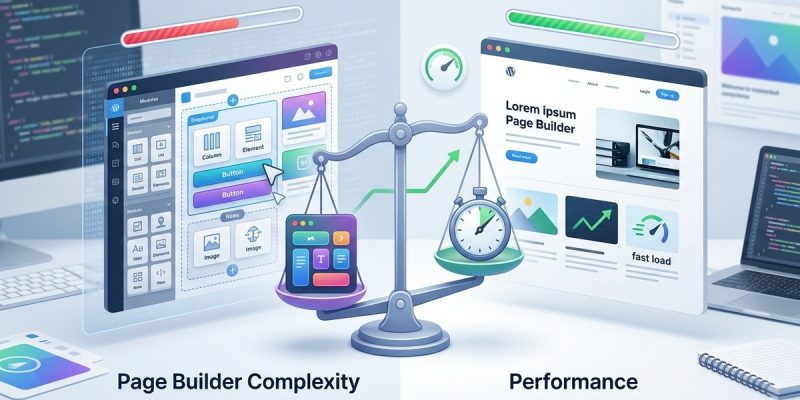
Building a website with a drag-and-drop page builder can seem like a dream. It allows you to craft professional layouts without coding skills. But this convenience often comes with a hidden cost. As you add more elements, your site can slow down. Understanding the performance trade-offs involved helps you make smarter choices. Let’s look at the pros and cons of page builder plugins and how you can balance design ease with site speed.
Page builder plugins make website creation easier but often add extra code, leading to slower load times. Proper optimization and mindful use help maintain good performance while enjoying flexible design options.
Why performance trade-offs matter with page builder plugins
Page builder plugins like Elementor, Beaver Builder, or Divi have revolutionized how WordPress sites are built. They provide visual interfaces that let you craft pages intuitively. However, they also generate additional code, scripts, and styles. This extra overhead can significantly impact your site’s load time and overall user experience.
Speed is crucial for user engagement and SEO. A slow website can frustrate visitors, reduce conversions, and hurt your search rankings. Since page builder plugins tend to add bloat, it’s wise to understand how this affects your site’s performance and what you can do about it.
How page builder plugins influence site performance
The mechanics of bloat and load time
Most page builder plugins work by injecting CSS, JavaScript, and HTML into each page. These assets are necessary for the visual design but can be inefficient if not managed well. The more elements you add, the more scripts and styles have to load.
This extra load can mean longer time to first byte, increased render-blocking resources, and larger page sizes. The result is slower page speeds, which can lead to higher bounce rates and lower search rankings.
Variability among plugins
Not all page builders impact performance equally. Some are optimized for speed and offer features to disable unused assets. Others may load all their scripts on every page, regardless of whether they are needed. When researching your options, consider a plugin’s performance impact and how it manages assets.
The trade-off between flexibility and speed
While page builders offer fantastic flexibility, they often do so at the expense of performance. If your website relies heavily on custom designs and visual layouts, you might accept some slowdown. But if speed is a priority, you’ll need to weigh the convenience of a builder against the potential performance hit.
Practical steps to optimize site performance with page builders
To enjoy the benefits of a page builder without sacrificing speed, follow these steps:
- Choose a lightweight plugin: Opt for builders known for performance optimization. Read reviews and test them on a staging site.
- Limit the use of heavy elements: Avoid overly complex sections, large images, or unnecessary animations that can bloat your pages.
- Disable unused assets: Many builders allow you to disable scripts and styles on pages that don’t need them. Use this feature to reduce load.
- Optimize assets: Compress images, minify CSS and JavaScript files, and leverage caching plugins to reduce load times.
- Use a performance-focused theme: Pair your builder with a fast, clean theme to minimize conflicts and bloat.
- Monitor your site speed: Regularly test your website with tools like Google PageSpeed Insights or GTmetrix. Identify and fix bottlenecks.
- Implement lazy loading: Load images and videos only when needed to improve initial page load speed.
Checklist for balancing design and performance
- [ ] Select a performance-optimized page builder
- [ ] Limit the number of elements per page
- [ ] Disable assets on unnecessary pages
- [ ] Compress and minify assets
- [ ] Use caching and CDN solutions
- [ ] Regularly test site speed and make adjustments
Common mistakes that hurt page speed
| Mistake | Impact | How to avoid |
|---|---|---|
| Loading all builder assets on every page | Slows down site | Disable assets on pages that don’t need them |
| Using large background images | Increases load time | Compress images and use modern formats |
| Excessive animations and effects | Adds scripts and delays | Use sparingly and test impact |
| Not leveraging caching | Repeats asset downloads | Install caching plugins and configure properly |
| Ignoring Web Vitals | Affects SEO and UX | Regularly monitor core web vitals |
“The key to keeping your site fast while using a page builder is to be selective about what assets load and when. Regular testing helps you identify issues before they impact visitors.”
When to consider alternatives
If your primary goal is blazing-fast speed, consider native solutions like WordPress full site editing (FSE). Native blocks are often more efficient because they generate less code. For simple sites or blogs, the native block editor may suffice.
For complex designs that require a builder, invest time in optimizing assets and selectively loading functionalities. Combining a lightweight theme with performance optimizations will help maintain a balance.
Making the most of your page builder without sacrificing speed
Using a page builder plugin doesn’t mean you must accept slow websites. The secret lies in understanding how it works and applying best practices. Limit unnecessary assets, optimize media, and test your site regularly. When performance issues arise, address them early.
Remember, a well-optimized site provides a better user experience. Visitors stay longer, engage more, and are more likely to convert. Search engines also favor faster websites, leading to better rankings.
Final tips for a speedy, beautifully designed website
- Regularly audit your site’s performance using free tools.
- Keep your plugins, themes, and WordPress core updated.
- Use a reliable hosting provider optimized for WordPress.
- Avoid adding too many plugins that generate additional scripts.
- Consider server-side caching or CDN for global speed boosts.
Embracing smart design with performance in mind
Choosing the right tools for your website involves weighing ease of use against speed. Page builder plugins are powerful allies when used wisely. Focus on essentials, disable what you don’t need, and optimize assets. With these strategies, you can build a stunning site that loads fast and delights visitors.
Taking control of your website’s performance helps ensure it remains a valuable asset. Start with a plan, implement best practices, and keep testing. Your visitors will thank you for it.