
You’re about to launch your first website. You’ve got the idea, maybe even a design in mind. But before anything goes live, you need a domain name. That web address people will type to find you. The problem? Most guides assume you already know what DNS means or how registrars work. This one doesn’t.
Domain name registration for beginners involves choosing an available name, selecting a registrar, completing the purchase, and configuring basic DNS settings. You don’t own the domain forever. You rent it annually. Registration takes minutes, but understanding renewal dates, privacy settings, and transfer locks prevents costly mistakes. Most beginners skip these details and regret it later.
What domain registration actually means
When you register a domain, you’re not buying it outright. You’re leasing the right to use that name for a set period, usually one year.
Think of it like renting an apartment. You pay annually. If you forget to renew, someone else can move in.
A domain registrar is the company that manages this lease. They maintain records with a central database called the domain registry. Every .com, .org, or .net has its own registry.
Your registrar submits your contact information and payment to the registry. The registry updates a global directory. Within hours, your domain becomes yours.
But only for as long as you keep paying.
Choosing your first domain name
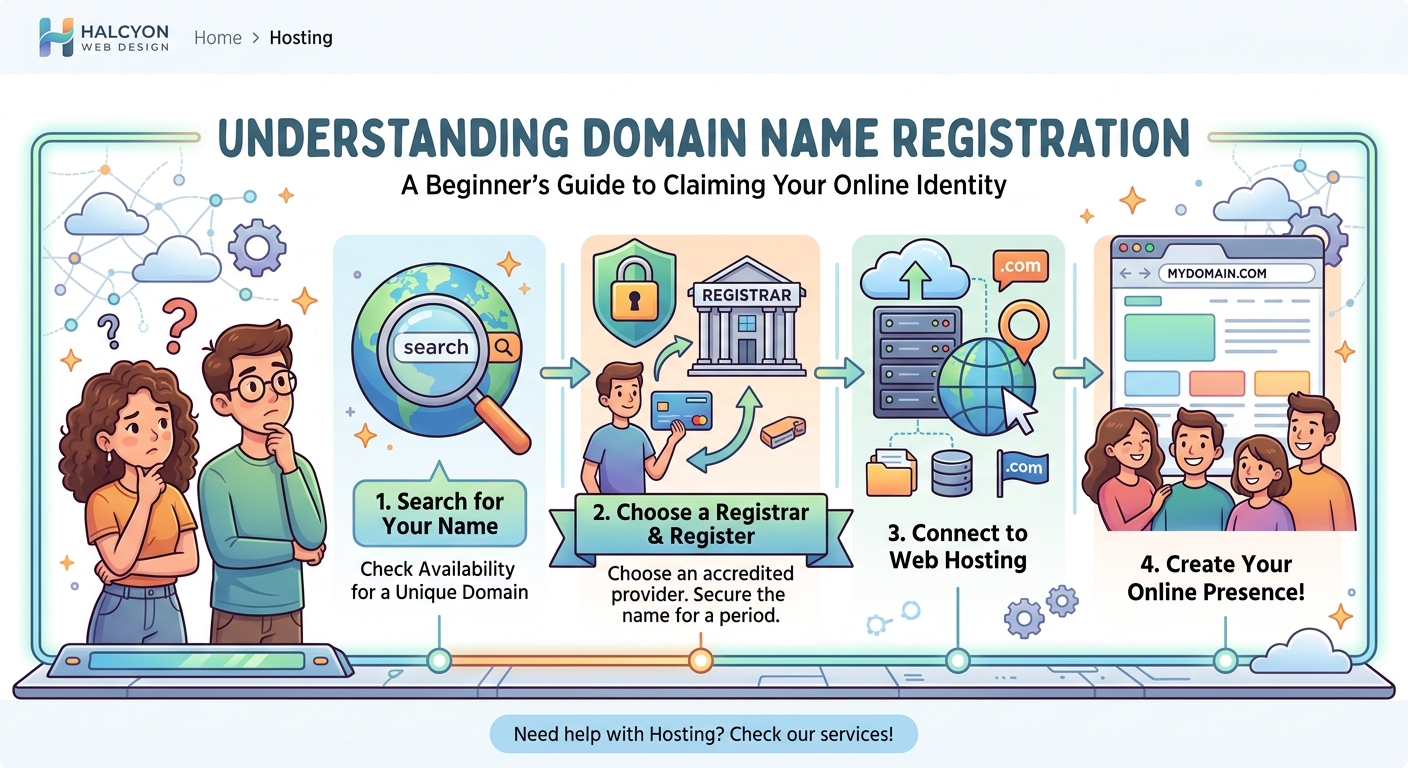
Start with something simple. Your business name, your blog title, or your personal name all work.
Avoid numbers and hyphens. They confuse people. If you say your domain out loud and someone needs clarification, it’s too complicated.
Length matters. Shorter domains are easier to remember and type. But most short .com names are already taken.
Here’s what to check before you decide:
- Is the .com version available? Even if you plan to use .net or .org, someone else owning the .com can cause confusion.
- Does it sound like another brand? You don’t want legal trouble or lost traffic.
- Can people spell it after hearing it once? Test it on a friend.
Most registrars have a search tool. Type your idea. If it’s available, you’ll see a price. If not, they’ll suggest alternatives.
Don’t rush. A bad domain choice sticks with you for years.
How to register a domain step by step
Registration takes about ten minutes if you know what to expect.
Here’s the process:
- Pick a registrar. Popular options include Namecheap, Google Domains, and GoDaddy. Prices vary, but most .com domains cost $10 to $15 per year.
- Search for your domain. Enter your chosen name in the search bar. If it’s available, add it to your cart.
- Select the registration period. You can register for one year or multiple years. Longer periods lock in the current price and reduce the chance you’ll forget to renew.
- Review add-ons. Registrars will try to upsell privacy protection, email hosting, and website builders. You can skip most of these for now.
- Enter your contact information. This includes your name, address, email, and phone number. Be accurate. You’ll need this info to recover your domain if you lose access.
- Complete payment. Use a credit card or PayPal. Your domain activates within minutes.
After payment, you’ll receive a confirmation email. Keep it. It contains your login details and renewal date.
Understanding WHOIS privacy protection
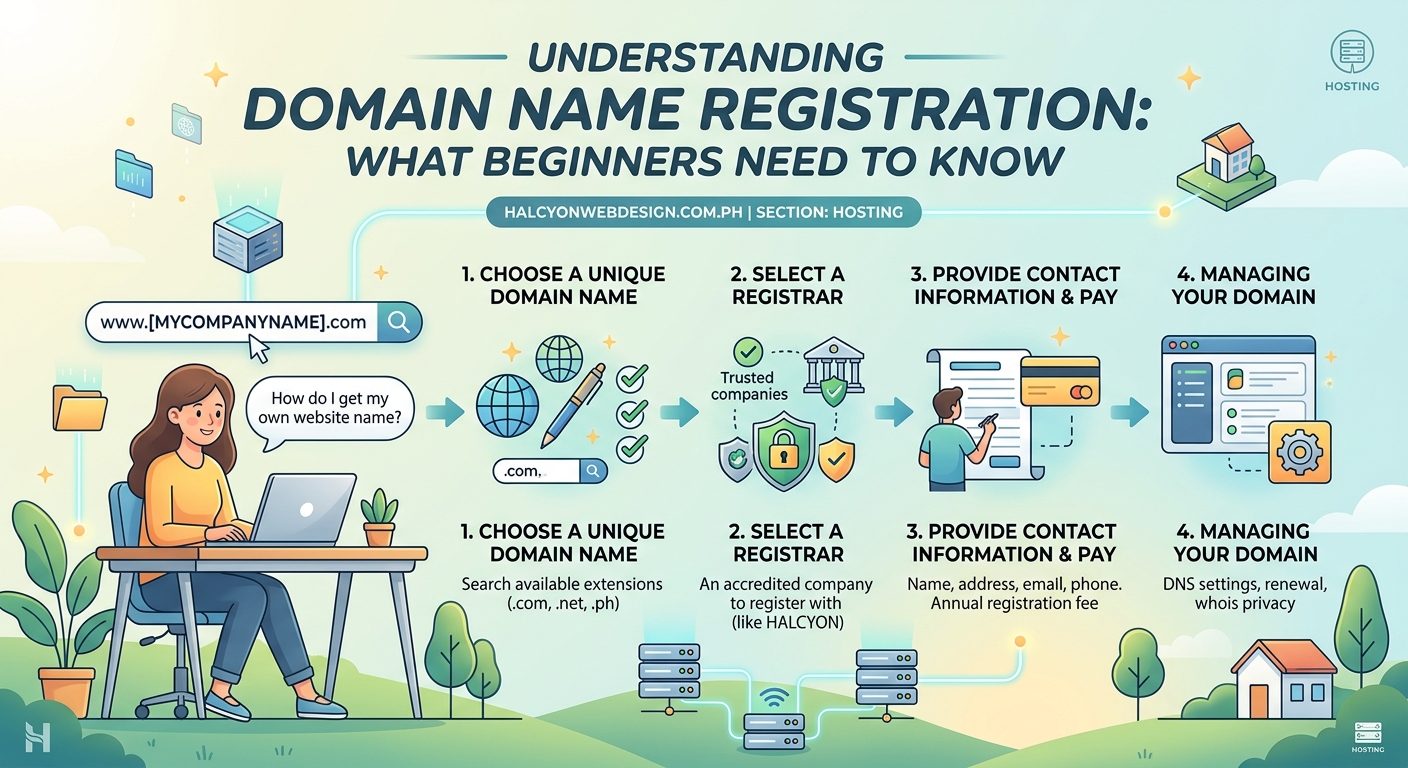
When you register a domain, your contact information becomes public. Anyone can look it up using a WHOIS search tool.
This means your name, address, email, and phone number are visible to spammers, marketers, and anyone curious enough to check.
WHOIS privacy protection hides your personal details. The registrar lists their own contact information instead. It’s a shield between you and the public database.
Some registrars include this for free. Others charge $5 to $10 per year.
If you’re registering as an individual, get the privacy protection. Businesses often skip it because they want their info public for credibility.
Connecting your domain to a website
Registering a domain doesn’t automatically create a website. It just reserves the name.
To make your domain point to a website, you need hosting. Hosting is where your website files live.
Once you have hosting, you’ll connect your domain using DNS settings. DNS stands for Domain Name System. It’s the phonebook of the internet. It tells browsers where to find your site.
Your hosting provider will give you nameservers. These are addresses like ns1.hostingcompany.com and ns2.hostingcompany.com.
You’ll log into your registrar account, find the DNS or nameserver settings, and paste those addresses. Save the changes.
It takes 24 to 48 hours for the update to spread across the internet. This delay is called DNS propagation. During this time, some people might see your old site or nothing at all.
If you’re using WordPress, choosing the right hosting plan for your first website matters just as much as picking the right domain.
Common mistakes beginners make
Most first-time buyers make at least one of these errors.
Forgetting to renew. Domains expire. If you don’t renew, you lose the name. Set a calendar reminder two weeks before your renewal date.
Ignoring auto-renewal settings. Some registrars enable auto-renewal by default. Others don’t. Check your account settings. If auto-renewal is off, turn it on.
Using a personal email that changes. If you register with a work email and then leave that job, you might lose access to renewal notices. Use a personal email you’ll keep long-term.
Skipping the transfer lock. A transfer lock prevents someone from moving your domain to another registrar without permission. Most registrars enable this by default, but double-check.
Buying too many add-ons. You don’t need website builders, email accounts, or SEO tools on day one. Start simple. Add services later if you need them.
Here’s a comparison of what to prioritize:
| Feature | Priority | Why |
|---|---|---|
| Domain privacy | High | Protects your personal information from public view |
| Auto-renewal | High | Prevents accidental loss of your domain |
| Multi-year registration | Medium | Locks in price and reduces renewal frequency |
| Email hosting | Low | You can add this later through your hosting provider |
| Website builder | Low | Most hosting plans include better options |
What happens after you register
Your domain is active. Now what?
First, set up email forwarding if your registrar offers it. This lets you create addresses like [email protected] that forward to your personal inbox.
Second, configure basic DNS records if you’re not using hosting yet. An A record points your domain to an IP address. A CNAME record creates aliases like www.yourdomain.com.
If this sounds technical, don’t worry. Most hosting providers handle DNS automatically when you connect your domain.
Third, bookmark your registrar login page. You’ll need it to manage renewals, update contact info, and adjust settings.
Finally, document your renewal date somewhere safe. A spreadsheet, a password manager, or a simple note in your phone all work.
“The biggest mistake I see is people treating domain registration like a one-time task. It’s an ongoing responsibility. Miss a renewal, and you could lose years of brand equity.” — Domain management consultant
Transferring a domain between registrars
Sometimes you’ll want to move your domain to a different registrar. Maybe you found better pricing. Maybe you’re consolidating accounts.
Transfers take five to seven days. Here’s how they work:
- Unlock your domain. Log into your current registrar and disable the transfer lock.
- Get an authorization code. This is also called an EPP code or transfer key. Your registrar will provide it.
- Initiate the transfer at the new registrar. Enter your domain name and authorization code. Pay the transfer fee, which usually includes a one-year renewal.
- Approve the transfer. You’ll receive an email asking you to confirm. Click the approval link.
- Wait for completion. The old registrar has five days to release the domain. Most do it faster.
Transfers don’t cause downtime if your DNS settings stay the same. Your website keeps working throughout the process.
One warning: you can’t transfer a domain within 60 days of registration or a previous transfer. This is an ICANN rule designed to prevent fraud.
If you’re planning to migrate your WordPress site to a new host, coordinate the domain transfer separately to avoid confusion.
Domain extensions and what they mean
The letters after the dot matter more than you think.
.com is the default. It’s what people assume. If you say your website name, they’ll type .com first.
.net originally stood for network. It’s a solid backup if .com isn’t available.
.org is for organizations, especially nonprofits. It carries credibility in certain industries.
Country-specific extensions like .ph or .uk work well for local businesses. They signal you’re based in that region.
Newer extensions like .io, .co, and .app are trendy but less familiar. Some people don’t recognize them as real websites.
Avoid obscure extensions unless you have a specific reason. .biz, .info, and .xyz often look spammy.
Stick with .com if possible. If not, .net or .org are safe choices.
Renewing your domain without losing it
Renewal notices start arriving 30 days before expiration. Don’t ignore them.
If you miss the deadline, your domain enters a grace period. This lasts 30 days. You can still renew, but some registrars charge a late fee.
After the grace period, the domain goes into redemption. This lasts another 30 days. Redemption fees range from $100 to $200.
If you don’t act during redemption, the domain becomes available to the public. Someone else can register it immediately.
Lost domains rarely come back. If your business depends on that name, losing it can be devastating.
Set multiple reminders. Use your phone calendar, email filters, and even a sticky note on your desk.
Auto-renewal solves this problem, but only if your payment method stays current. Update your credit card info before it expires.
When to register multiple domains
Some businesses register variations of their main domain to protect their brand.
For example, if you own yourbusiness.com, you might also register yourbusiness.net and yourbusiness.org. This prevents competitors or squatters from confusing your customers.
You might also register common misspellings. If your brand name is tricky to spell, buying the misspelled versions ensures people still find you.
Personal names are another reason. If you’re building a personal brand, consider registering your full name, your nickname, and any professional variations.
But don’t go overboard. Each domain costs money annually. Only register what you’ll actually use or need to protect.
Most small businesses do fine with just the .com version.
How domain registration fits into your website launch
Your domain is step one. But it’s not the only step.
After registration, you’ll need hosting. That’s where your website files live. Setting up WordPress after installation comes next.
You’ll also need to think about design. Choosing a WordPress theme shapes how visitors experience your site.
And eventually, you’ll want people to find you. That means understanding how to get your site indexed on Google.
But none of that happens without a domain. It’s the foundation everything else builds on.
Protecting your domain from hijacking
Domain hijacking is rare but devastating. It happens when someone gains unauthorized access to your registrar account and transfers your domain to themselves.
Here’s how to prevent it:
- Enable two-factor authentication. Most registrars offer this. It adds a second layer of security beyond your password.
- Use a strong, unique password. Don’t reuse passwords from other accounts. Use a password manager to generate and store complex passwords.
- Keep your contact email secure. If someone hacks your email, they can reset your registrar password. Protect your email with two-factor authentication too.
- Enable transfer locks. This prevents unauthorized transfers even if someone accesses your account.
- Monitor your domain status. Log into your registrar account monthly. Check for unauthorized changes.
If your domain does get hijacked, contact your registrar immediately. They have recovery procedures, but the process can take weeks.
Prevention is easier than recovery.
Your domain is your digital address
Registering a domain is straightforward once you understand the basics. Choose a name people can remember. Pick a reliable registrar. Enable privacy protection. Set up auto-renewal. And keep your account secure.
Your domain is more than a web address. It’s your brand, your identity, and your first impression. Treat it with the same care you’d give a business license or a storefront sign.
Start simple. You can always expand later. But get the foundation right from day one, and you’ll avoid the headaches most beginners face.